Blog

  • Best Vendasta Alternatives for Business Owners in 2026

    Best Vendasta Alternatives for Business Owners in 2026

    Vendasta is a white-label platform that marketing agencies use to resell digital products to their small business clients. The white-label reseller model covers CRM, marketplace products, fulfillment, billing, and reporting at a level that makes sense for an agency managing dozens of accounts. For a single restaurant, salon, or gym trying to run its own reputation management and understand its own numbers, Vendasta is far more complex than any local business needs. The agency model is the point of the product, not a side effect.

    Most Vendasta alternative articles review other agency platforms. This page is written for business owners who found Vendasta through an agency pitch or a direct search and want to know what fits a local business that runs itself. The best Vendasta alternatives for business owners in 2026 are Miivo, Birdeye, Podium, Thryv, GoHighLevel, Yext, Synup, NiceJob, BrightLocal, and Widewail. The 10 alternatives below cover reputation management, local listings, review management, business intelligence, and marketing automation. The one listed first is the only Vendasta alternative that adds financial intelligence and operational data alongside reputation monitoring.

    For reference, Vendasta Starter costs $99/month with limited features, co-branding, and access to Snapshot Reports for prospecting. Professional adds white-label capabilities at $499/month. Premium is $999/month. Professional and Premium both require annual contracts. Monthly costs rise as you add marketplace products. This pricing is made for an agency billing multiple clients, not a single physical business.

    TL;DR: Here Is What All 10 Vendasta Alternatives Cover

    Below is a quick overview of the best Vendasta alternatives before the full review of each.

    ToolPrimary FocusFinancial and Operational BI?Done For You?Best ForEntry Price
    MiivoBI + reputation (physical)YesYesPhysical businessesFree, $399/month
    BirdeyeReputation + listings + socialNoNoMulti-location, 2-10 sitesCustom, (~$299/month per location)
    PodiumReview requests + messagingNoNoService businesses (SMS-first)Custom (~$399/month)
    ThryvAll-in-one local businessNoNo1-5 location service businesses$255/month
    GoHighLevelFull marketing stackNoNoAgency / DIY marketers$97/month
    YextLocal listings + reputationNoNoMulti-location, directories focusCustom
    SynupLocal presence managementNoNoListings + reputation, mid-market$99/month
    NiceJobReview generationNoNoTrade businesses (Jobber users)$75/month
    BrightLocalLocal SEO + reportingNoNoLocal SEO focus, published pricing$41/month
    WidewailManaged review responsesNoYes (review responses only)High-volume review response$500/month per location

    Miivo is the only Vendasta alternative on this list that connects financial, operational, and reputation data in one view.

    Miivo: Reputation Monitoring Plus Financial and Operational Intelligence

    What It Is 

    Miivo is an AI-powered business intelligence service with an assigned human team that connects your accounting data, POS data, and Google reviews into one automatic daily dashboard. The service is done for you, not self-managed.

    Best For

    Physical business owners who run restaurants, salons, gyms, or retail shops and want to see their reputation data alongside their financial and operational numbers in one place.

    What It Does Well 

    • Miivo combines reputation monitoring with financial intelligence and operational data. 
    • AI Warning Signals flag problems before they show up in monthly reports. 
    • Opportunity Cards surface revenue patterns from your POS data. 
    • An assigned human team sets everything up and keeps it running. 
    • The service goes live in 5 business days with no setup work from you.

    What It Does Not Do

    • Does not send review request campaigns, does not run local listings across directories, and does not control social media. 
    • Not an agency reseller product and is not ideal for digital businesses or SaaS companies.

    Pricing. Ready to Use: Free, no credit card required. Built for You: $399/month. Managed Services: $1,299/month. Setup is included in both plans. No annual contract.

    See how Miivo works for local businesses

    Birdeye: Reputation Management Platform for Multi-Location Businesses

    What It Is

    Birdeye is an AI-powered reputation management and multi-location marketing product rated 4.7/5 on G2 as of 2026. Over 200,000 businesses use Birdeye for review management, local listings, social media, messaging, and surveys.

    Best For

    Multi-location local businesses in restaurants, retail, healthcare, and automotive that need the strongest reputation management product available and have someone on staff to run it. The sweet spot is 2 to 10 locations with an in-house marketing person or team.

    What It Does Well 

    • Birdeye has the strongest review generation and monitoring of any Vendasta alternative on this list. 
    • Local listings management covers 50+ directories from one account. 
    • The multi-location dashboard shows all locations in a single view with aggregate and per-location reporting. 
    • AI-powered review response suggestions save time across locations. 
    • Social media scheduling and customer survey tools round out the product. If your business needs reputation management and nothing else, Birdeye is the strongest option on this list for that job.

    What It Does Not Do 

    • Birdeye does not publish standard pricing tiers. Reports from third-party sources put costs at $299 or more per month per location, which gets expensive for single-location businesses fast. Annual contracts are common. 
    • Birdeye does not connect to your accounting software or POS, so there is no financial intelligence or operational data alongside your reviews. You see your reputation, but not your financial performance.

    Pricing. Custom pricing per location. Reported from ~$299/month for a single location.

    Podium: SMS-First Review Management for Service Businesses

    What It Is

    Podium is an SMS-first review management and messaging product for local businesses. The core value is text-based customer communication, with review requests sent through SMS and an AI conversational employee for inbound messaging around the clock.

    Best For

    Service businesses where texting is the main customer channel, like healthcare, automotive, and home services. Podium fits businesses that want customer messaging and review management in one inbox.

    What It Does Well

    • The SMS-first review request workflow is the standout. After a customer visit, the business sends a text asking for a review, and the conversion rate on SMS review requests is higher than email. 
    • An AI conversational employee takes inbound messages 24 hours a day, 7 days a week, so leads that text after business hours still get an answer. 
    • All texts, reviews, and social messages land in a single inbox. 
    • Podium has payments as well. For businesses with high-volume customer communication, having all messages in one inbox saves hours each week.

    What It Does Not Do

    • Podium is expensive per location, with reported pricing from $399 to $999+ per month depending on features and location count. 
    • A mandatory 6-month initial term locks you in. 
    • The AI review reply add-on costs another $99 per month. 
    • Podium does not connect to accounting or POS, so no financial intelligence or operational data comes through.

    Pricing. Quote-based. Reported $399 to $999+/month per location.

    Thryv: All-in-One CRM, Reputation, and Billing for Local Businesses

    What It Is

    Thryv is an all-in-one business management product for local businesses that puts CRM, reputation management, invoicing, appointment booking, email marketing, and a client portal under one subscription.

    Best For

    Small local businesses with 1 to 5 locations that want to replace multiple separate subscriptions with one product to cover CRM, reputation, billing, and communications. Thryv is a good fit for service businesses that book appointments.

    What It Does Well

    • Thryv is the most complete all-in-one option for the day-to-day operations of a local business. CRM, reputation, invoicing, appointment scheduling, and email marketing all sit under one subscription. 
    • The client portal lets customers book appointments, pay invoices, and message the business without a phone call. 
    • For business owners currently paying for 3 or 4 separate subscriptions, Thryv can cut that down to one bill at a lower total price.

    What It Does Not Do

    • Thryv does not publish standard pricing. 
    • It does not pull data from your accounting software, so there is no P&L view or profit margin tracking. 
    • No POS connection means no operational data from your physical business, and for reputation management depth specifically, Birdeye is stronger.

    Pricing. 2 plans, Marketing Center starting at $255/month, Keap starting at $299/month. Additional cost for add-ons.

    GoHighLevel: Full Marketing Stack With Published Pricing

    What It Is

    GoHighLevel is an all-in-one marketing and CRM product that was originally made for agencies but is now used by business owners directly. The Vendasta alternative covers CRM, email, SMS, landing pages, reputation management, and appointment booking.

    Best For

    Business owners who want a full marketing stack at a published price and are willing to put in the time to learn it. GoHighLevel is used by agencies as a direct Vendasta alternative for white-label reselling too.

    What It Does Well

    • GoHighLevel publishes its prices on its website, which sets it apart from Vendasta, Birdeye, and Podium. 
    • The Starter plan at $97/month gives you CRM, email, SMS, website, funnels, and reputation management with no annual contract. For the range of features at that price, nothing else on this list comes close.

    What It Does Not Do

    • The learning curve is steep. GoHighLevel is complex and takes real time to set up and get value from. Most business owners who switch to GoHighLevel spend weeks configuring workflows before the product pays for itself. 
    • There is no human team doing the work for you. 
    • No connection to accounting software or POS data means no financial intelligence or operational data for a physical business.

    Pricing. Starter: $97/month. Unlimited: $297/month. Agency Pro: $497/month.

    Yext: Local Listings Management Across 200+ Directories

    What It Is

    Yext is a local listings management and reputation intelligence product that pushes business information out to 200+ directories and publishers from one place. AI-powered review monitoring and local SEO analytics are included.

    Best For

    Multi-location businesses that need consistent, accurate local listings across directories as the base of their local SEO work. Yext is strongest for franchise networks and larger local chains.

    What It Does Well

    • The 200+ directory syndication from one account is the core strength. 
    • Data governance keeps your name, address, and phone number consistent across the web, which matters for local SEO. 
    • AI-powered review monitoring and local search analytics add a reputation layer on top of the listings work. Google Business Profile management is included.

    What It Does Not Do

    • Yext does not publish standard pricing. Custom quotes per location make it hard to budget without a sales call. 
    • The product is focused on listings and local SEO. It does not connect to your accounting software or POS, so there is no financial intelligence or operational data. 
    • If you need review generation campaigns or customer messaging, Yext is not the right fit.

    Pricing. Custom pricing per location. Starts from $199/month for small businesses and resellers to $999/month for enterprises. Annual custom contracts available.

    Synup: Local Presence Management at Mid-Market Price

    What It Is

    Synup is a local presence management product that covers directory listings, review monitoring, and local search rank tracking. G2 lists Synup as a top Vendasta alternative.

    Best For

    Businesses and agencies that want local listings management with reputation monitoring at a lower price than Yext or Birdeye.

    What It Does Well

    • Synup has a good balance of local listings management, review monitoring, and review response tools alongside local search rank tracking. 
    • The review response workflow lets you respond to Google, Facebook, and other review sites from one place. 
    • Offers SEO tools for your client’s marketing strategies.

    What It Does Not Do

    • No financial intelligence or operational data.
    • Difficult learning curve. Interface can be confusing.
    • The product is self-managed with no done-for-you service, so you need someone on your team to log in and use it.

    Pricing. Startup: $99/month. Agency: $249/month. Scale: $999/month. Annual discounts available.

    NiceJob: Simple Review Generation for Trade and Service Businesses

    What It Is

    NiceJob is a review generation and reputation product focused on automating review collection from existing customers. The platform works with service management products like Jobber, Housecall Pro, and others in the trade space.

    Best For

    Single-location service businesses in plumbing, cleaning, landscaping, and other trades that want an affordable review generation product. NiceJob is a strong fit for businesses already on Jobber.

    What It Does Well

    • NiceJob costs less for review generation than Birdeye or Podium at $75/month for the Reviews plan. 
    • Automated review requests go out when a job is completed through Jobber or Housecall Pro, so the business owner does not have to remember to ask. 
    • A website widget displays collected reviews on your own site. For trade businesses already on Jobber, the connection between job completion and review request is the key value.

    What It Does Not Do

    • NiceJob focuses on review generation only. There is no broader reputation management, no local listings work, no social media, and no messaging. 
    • No financial intelligence or operational data. 
    • Not suited for multi-location businesses. Self-managed.

    Pricing. Reviews plan: $75/month. Pro plan: $125/month. Builds and manages new business sites for $99/month with $199 setup fee.

    BrightLocal: Local SEO and Reputation Reporting With Published Pricing

    What It Is

    BrightLocal is a local SEO and reputation reporting product that covers local citation management, review profile monitoring, Google Business Profile performance tracking, and local search rank tracking.

    Best For

    Business owners and agencies that want to monitor and improve their local SEO performance alongside reputation management at transparent prices.

    What It Does Well

    • BrightLocal publishes its pricing on its website, which puts it as one of the Vendasta alternatives where you know the cost before a sales call. 
    • The entry point at $41/month makes it the most affordable option here. 
    • Citation management, review monitoring, Google Business Profile tracking, and local search rank reporting all come in at that price range. 
    • The reporting depth is strong for businesses that want to track their local SEO position over time and show results to stakeholders.

    What It Does Not Do

    • BrightLocal is a reporting and monitoring product, not a full review generation or messaging service. 
    • Does not send automated review requests the way NiceJob or Podium do. 
    • No financial intelligence or operational data. Self-managed. No done-for-you service.

    Pricing. Track: $41/month, Manage: $54/month, Grow: $65/month for a single location. Price increases with the number of locations. Discounts apply on annual billing.

    Widewail: A Managed Review Response Service, Done for You

    What It Is

    Widewail is a managed review response service where a human team writes and publishes review responses on behalf of the business. The model is done for you, not self-service.

    Best For

    Businesses that want professional, human-written review responses without doing the work themselves. Multi-location businesses with high review volume find the most value here, since in-house response across locations is time-consuming.

    What It Does Well

    • Widewail is one of only done-for-you services on this list, alongside Miivo. 
    • Human writers, not AI templates, write each review response. Responses match the brand voice and stay on-tone across all review sites. 
    • For businesses getting dozens of reviews per month across multiple locations, Widewail takes the daily burden of responding off your plate. 
    • The value of a managed response service grows with review volume, so multi-location businesses see the most return.

    What It Does Not Do

    • Widewail focuses on review responses only. It does not cover review generation, local listings, social media, or any financial and operational intelligence. 
    • The done-for-you model covers review responses and nothing else.

    Pricing. Core: $500/month per location. Pro: $750/month per location. No setup fees.

    Which Vendasta Alternative Is Right for Your Business?

    1. You run a physical business and need both reputation monitoring AND financial and operational data in one place. 

    Miivo is the only Vendasta alternative on this list that offers both reputation monitoring and financial and operational data in one place. Birdeye, Podium, and every other reputation product on this list only sees your reviews. Miivo connects to your POS and accounting data too, so you see business performance alongside customer sentiment in one automatic daily view.

    1. You need the strongest multi-location reputation management product and have someone on staff to run it. 

    Birdeye is rated #1 on G2 with a 4.7/5 from 4,065 reviews. Review generation, local listings across 50+ directories, social media, and surveys all in one product. Best for 2 to 10 location businesses with a marketing focus.

    1. You want one product for your local business covering CRM, reputation, appointments, and billing. 

    Thryv is the most complete all-in-one option for a local business owner. The business platform replaces multiple subscriptions at a lower total price than Vendasta.

    1. You want published pricing and a full marketing stack at a fraction of what Vendasta costs. 

    GoHighLevel at $97/month Starter gives you CRM, email, SMS, landing pages, reputation management, and booking. The learning curve is real, but the price-to-feature ratio is the best on this list.

    1. You need to track your review collection and Google Business Profile performance more reliably. 

    BrightLocal at $31 to $49/month on annual billing covers local SEO reporting, citation management, and reputation monitoring with all prices published on the website.

    Running a Physical Business and Need More Than Reputation Management?

    Book a 15-minute call. We will connect to your data and show you what your business looks like, financially and operationally, inside Miivo.

    [Book a 15-minute call]

    *No credit card. No commitment. Live in 5 days.

  • Best BELAY Alternatives With AI Business Intelligence in 2026

    Best BELAY Alternatives With AI Business Intelligence in 2026

    BELAY Solutions (founded 2010, Alabama) is a premium managed staffing company that pairs clients with US-based virtual assistants, bookkeepers, and social media managers from a network of approximately 2,000 vetted professionals across 48 states. BELAY recruits, vets, and matches each client with a dedicated assistant, and assigns a Client Success Consultant to manage the ongoing relationship. BELAY does not publish pricing on its website, third-party sources such as UseCarly and HireInSouth report VA (virtual assistant) costs of approximately $42 to $50 per hour, with part-time bookkeeping reportedly starting from $2,000/month. 

    For a physical small business, BELAY’s human-powered model has a specific gap that goes beyond cost. A BELAY bookkeeper puts together financial statements, reconciliations, and payroll reports. What that bookkeeper cannot do is connect to a POS system automatically, track daily covers against target, or surface review score changes across platforms. An operational problem building over weeks will not show up until the next monthly close. This page compares 10 BELAY alternatives through the lens of AI business intelligence, covering tools and services that give small business owners a more automated view than a human-powered bookkeeping model can.

    The top 10 BELAY alternatives in 2026 across managed bookkeeping, AI financial planning, dedicated virtual assistant services, and self-serve business intelligence platforms include Miivo, Fuelfinance, Pilot.com, Zeni, inDinero, Bookkeeper360, Wishup, Boldly, Zoho Analytics, and Power BI.

    Top 10 BELAY Alternatives, At A Glance

    Here is a quick summary before the full review of each alternative.

    ToolTypeOperational Intelligence?Transparent Pricing?Best ForEntry Price
    MiivoAI BI + human teamYesYesPhysical businessesFree, $399/month
    FuelfinanceAI FP&A + human advisorNoNo (custom)Startups, digital SMBsCustom (~$1,199/mo reported)
    Pilot.comManaged bookkeepingNoYesStartups, digital SMBsFrom $99/month
    ZeniAI bookkeepingNoYesFunded startupsFrom $549/month
    inDineroBookkeeping + tax + CFONoYesComplex financialsFrom $750/month
    Bookkeeper360Bookkeeping (QBO + Xero)NoYesSMBs, Xero usersFrom $399/month + $1,000 onboarding fee
    WishupVirtual assistant (AI-trained)NoYesAdmin/scheduling needsFrom $1,299/month
    BoldlyVA (employee model)NoYesUS-based VA, continuityFrom $2,600/month
    Zoho AnalyticsSelf-serve AI BINoYesSelf-sufficient SMBsFree / $30/month
    Power BISelf-serve AI BINoYesMicrosoft 365 usersFree / $14/user/month

    Miivo: AI-Powered Financial and Operational Intelligence for Physical Businesses

    What Miivo Is

    Miivo is an AI-powered business intelligence service with a dedicated human team behind it. The top BELAY alternative connects financial data from accounting software and operational data from POS systems, bookings, and review platforms into one automatic daily dashboard. Unlike BELAY and most alternatives on this list, Miivo does not stop at financial statements. The AI business intelligence software pulls in daily revenue from POS, covers against target for restaurants, booking fill rates for salons and gyms, and customer review scores from social media and review platforms.

    Best For

    Physical small business owners running restaurants, salons, gyms, and retail stores who need both financial and operational intelligence automatically, without paying for a human bookkeeper to manually pull data each month. The BELAY alternative is built for businesses where revenue comes from a physical location.

    What Miivo Does Well

    • Miivo connects POS systems, accounting software, and review platforms automatically. The setup is done for you by a dedicated human team, and most businesses are live within 5 business days.
    • AI Warning Signals flag problems before they compound, giving the owner time to act rather than discover issues in next month’s P&L.
    • Opportunity Cards surface specific actions the owner can take the same day.
    • Transparent flat monthly pricing with no annual contract required.

    What Miivo Does Not Do

    • Not a virtual assistant service. Does not handle scheduling or admin tasks the way BELAY does.
    • Not a bookkeeping replacement for tax filing purposes. 
    • Not ideal for SaaS startups or digital businesses. The service is designed for physical locations with POS data and foot traffic.

    Pricing: Free plan Ready to Use (no credit card required). Built for You costs $399/month. Managed Services at $1,299/month. Setup included. No annual contract.

    See how Miivo works for businesses

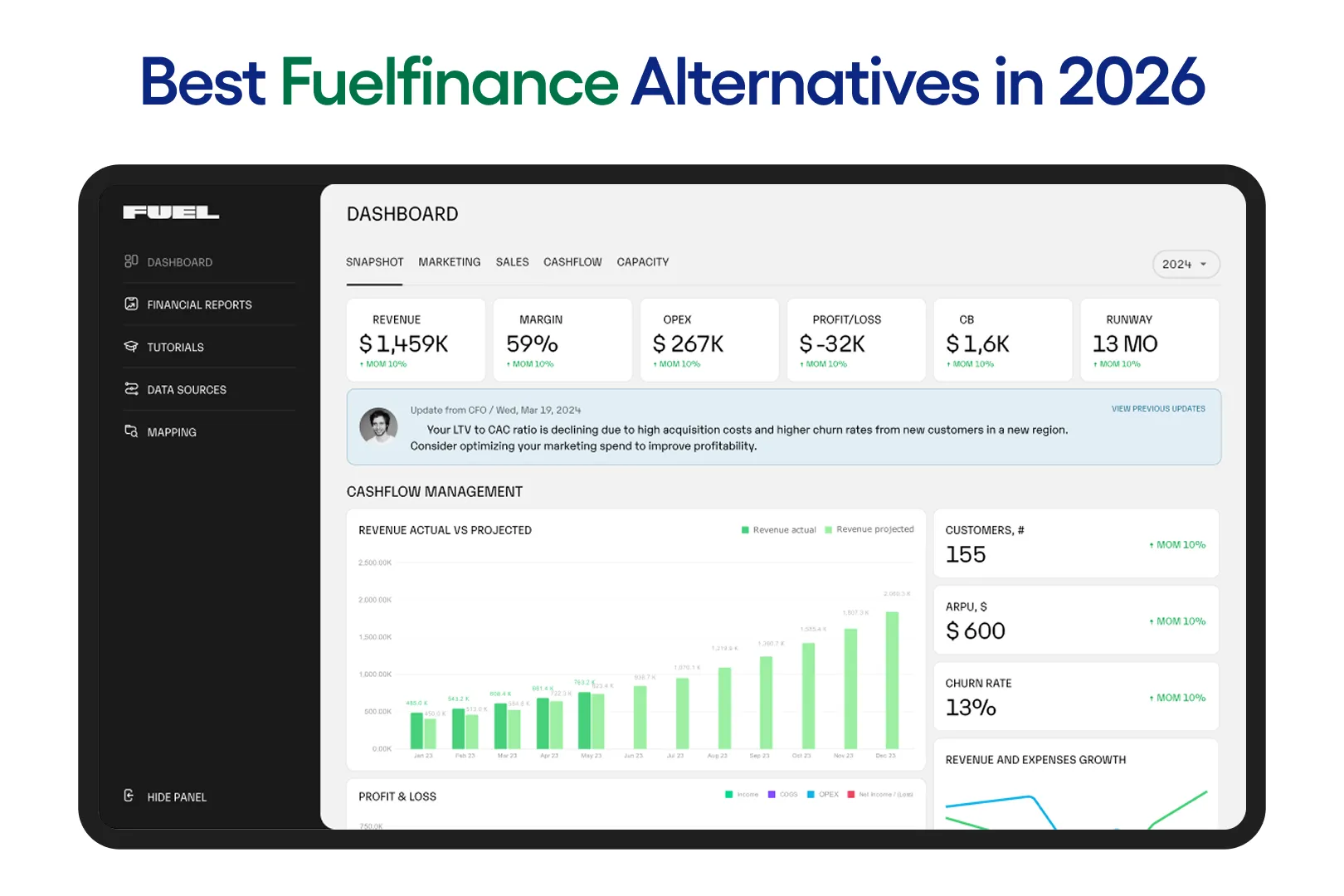
    Fuelfinance: AI Financial Planning With a Human Advisor Included

    What Fuelfinance Is

    Fuelfinance is an AI-powered financial planning and analysis platform for startups and agencies. The service combines AI forecasting, budget-vs-actual tracking, scenario planning, and a dedicated human financial manager. BELAY provides backward-looking bookkeeping through a human bookkeeper and tells what happened last month, while Fuelfinance looks forward with cash flow projections, burn rate analysis, and budget scenarios. The platform connects with 350+ business tools to pull in financial data automatically.

    Best For

    Startup founders and digital SMB owners who want AI-powered financial intelligence with a human expert included. Fuelfinance fits businesses that need budgeting, forecasting, and scenario planning alongside a financial manager, instead of a bookkeeping and admin model. The human financial manager is included in the subscription rather than priced as a separate add-on.

    What Fuelfinance Does Well

    • Goes further than BELAY into financial planning territory with AI forecasting, anomaly detection, and scenario planning tools.
    • A dedicated human financial manager is included in every paid plan. BELAY’s bookkeeping and VA services are billed separately, and financial planning is not part of the standard bookkeeping scope.
    • 350+ integrations with accounting, CRM, and billing tools.
    • Burn rate tracking and investor-ready reporting for funded startups.

    What Fuelfinance Does Not Do

    • Not built for physical businesses. No POS data, no operational intelligence, and no booking or review monitoring.
    • No virtual assistant or admin services. Fuelfinance is financial intelligence only, while BELAY covers admin, scheduling, and email management through its VA service.
    • No tax preparation included. Pricing is not published on the website.

    Pricing: Custom, based on business needs, which typically starts from $1,199, according to market data. Fuelfinance does not publish fixed pricing on its website. Book a demo for a current quote.

    Pilot.com: Managed Bookkeeping With Transparent Pricing

    What Pilot.com Is

    Pilot.com is the largest startup-focused managed bookkeeping firm in the US, with over 250 US-based accountants, fractional CFOs, and tax specialists. The company runs all bookkeeping on top of QuickBooks Online and publishes its pricing publicly, which is a direct contrast to BELAY’s custom-quote model. For business owners frustrated by BELAY’s lack of pricing transparency, Pilot is the most visible alternative with clear tier pricing on its website.

    Best For

    Startups and digital SMBs who want managed bookkeeping with published pricing and a clear service scope. Pilot is a strong match for businesses that do not need BELAY’s virtual assistant or admin services and want bookkeeping handled by a dedicated accounting team at a known monthly cost.

    What Pilot.com Does Well

    • Transparent published pricing, unlike BELAY. The Essentials tier starts at $99/month, so the entry cost is known before the first sales call.
    • Tax preparation and fractional CFO services are available as add-ons from the same provider.
    • Over 250 US-based accountants. Pilot has the scale and track record to handle startup-specific bookkeeping needs, including accrual accounting and investor reporting.

    What Pilot.com Does Not Do

    • Financial data only. No operational intelligence, no POS connection, and no review tracking for physical businesses.
    • Built on QuickBooks Online, so a QBO subscription is an additional cost.
    • No virtual assistant, scheduling, or admin services. Pilot is bookkeeping and financial services only.
    • Annual contract required with monthly recalculations if expenses exceed the selected tier.

    Pricing: Essentials at $99/month. Core starts from $299/month. CFO services from $1,750/month as a separate add-on. Annual billing.

    Zeni: AI-First Bookkeeping With Faster Monthly Close

    What Zeni Is

    Zeni is an AI-powered bookkeeping and finance platform for funded startups. The company runs its own proprietary system rather than building on top of QuickBooks Online, and offers real-time financial dashboards, faster close cycles, and built-in banking and bill payment. Where BELAY’s human-powered bookkeeping model delivers financial statements on the bookkeeper’s timeline, Zeni targets faster monthly close times through AI automation.

    Best For

    Venture-backed startups that want faster monthly close times and a more modern financial platform than BELAY’s human-powered bookkeeping. Zeni is a strong match for startups that do not want to depend on QuickBooks Online and prefer a single platform for bookkeeping, banking, and bill pay at a published price point.

    What Zeni Does Well

    • Faster close times than BELAY’s human-powered model. Most businesses close within 5 to 7 business days.
    • Real-time financial dashboards and automatic dashboard updates instead of waiting for the bookkeeper to deliver month-end reports.
    • Own proprietary platform with built-in banking and bill pay, reducing the number of separate tools a startup needs.
    • Published pricing with clear tier structure, unlike BELAY’s custom quotes.

    What Zeni Does Not Do

    • Higher pricing than Pilot’s entry tier. The Starter plan begins at $494/month billed annually, or $549/month on monthly billing.
    • Startup focused only. Not built for physical businesses, and there is no operational data, POS connection, or booking data.
    • No virtual assistant or admin services. Zeni is financial reporting and bookkeeping only.

    Pricing: Starter from $549/month. Growth from $799/month. Enterprise at custom pricing. Fractional CFO and other services available as an add-on.

    inDinero: Bookkeeping, Tax, and CFO Services Bundled in One

    What inDinero Is

    inDinero is a full-stack accounting firm that bundles bookkeeping, tax, and CFO services under one subscription as opposed to pricing each separately. The bookkeeping company has a 15+ year track record and supports accrual accounting and complex revenue recognition for businesses with multi-entity or industry-specific financial structures. Where BELAY sells bookkeeping as one service and VA support as another, inDinero wraps bookkeeping, tax filing, and CFO advisory into a single relationship with a single point of contact.

    Best For

    Businesses that want bookkeeping, tax, and fractional CFO guidance from one provider. inDinero is a strong fit for companies with financial complexity such as grant accounting, revenue recognition requirements, or multi-entity structures that need deep accrual accounting experience rather than BELAY’s general bookkeeping scope.

    What inDinero Does Well

    • Tighter integration between bookkeeping, tax, and CFO work than BELAY, where financial services and VA support are managed and billed independently.
    • 15+ year track record with accrual accounting depth and industry-specific expertise.
    • A single point of contact across all financial services, reducing the coordination burden on the business owner.
    • Monthly, quarterly, and annual billing options are all available.

    What inDinero Does Not Do

    • Financial services only. No operational intelligence, no POS data connection, and no physical business data.
    • The Essential plan starts at $750/month, which is higher than Pilot’s entry tiers and higher than BELAY’s reported VA rates for admin-only work.
    • No virtual assistant, scheduling, or admin services. inDinero covers finance only.

    Pricing: Flexible pricing plans. Essential starting from $750/month, Growth from $1,250/month, and Executive at custom pricing. Monthly, quarterly, and annual billing available.

    Bookkeeper360: Managed Bookkeeping That Supports Xero as Well as QuickBooks

    What Bookkeeper360 Is

    Bookkeeper360 is a bookkeeping, accounting, and advisory service for small and medium-sized businesses. The company supports both QuickBooks Online and Xero, which is its most important differentiator from BELAY and from Pilot, both of which default to QuickBooks. CFO advisory, payroll, and HR services are available as add-ons. For a business owner wanting Xero-based managed bookkeeping, Bookkeeper360 is one of the few services that supports both major accounting platforms.

    Best For

    SMBs looking for a BELAY alternative that supports Xero and not just QuickBooks Online. Also a good fit for businesses that want payroll, bookkeeping, and CFO advisory from a single provider with transparent pricing published on the website.

    What Bookkeeper360 Does Well

    • Supports both QuickBooks Online and Xero, unlike BELAY or Pilot which are locked to QBO.
    • A dedicated bookkeeper is assigned to each account instead of a rotating team.
    • CFO advisory, payroll, and HR services are available alongside bookkeeping from the same provider.
    • Transparent pricing published on the website, unlike BELAY’s custom-quote model.

    What Bookkeeper360 Does Not Do

    • No operational intelligence. No POS or physical business data connection.
    • Not as AI-forward as Zeni or Miivo. The service model is more traditional human-powered bookkeeping.
    • A $1,000+ onboarding fee applies to all new accounts in addition to monthly pricing.
    • No virtual assistant or admin services. Bookkeeper360 is financial services only.

    Pricing: Monthly bookkeeping from $399/month. Weekly bookkeeping from $599/month. CFO advisory from $2,00/month. $1,000+ onboarding fee applies prior to bookkeeping services. Additional charges for any add-ons.

    Wishup: AI-Trained Virtual Assistants at a Published Monthly Rate

    What Wishup Is

    Wishup is a virtual assistant service with over 1,500 assistants trained on 120+ AI and automation tools. The company offers both US-based and offshore VAs, giving clients more cost flexibility than BELAY’s US-only model. Wishup publishes its pricing on its website. For business owners who want the dedicated virtual assistant side of what BELAY provides, but with transparent pricing and AI-trained staff, Wishup is the most direct comparison.

    Best For

    Businesses that want a dedicated virtual assistant for admin, scheduling, and email management at a published monthly rate lower than BELAY’s reported costs. Wishup is a good fit for owners who want AI-trained assistants handling automation workflows, not just traditional administrative support.

    What Wishup Does Well

    • Published pricing plans starting at $999/month for 4 hours per day of dedicated bookkeeping services.
    • All 1,500+ VAs are trained on 120+ AI and automation tools, so assistants can handle Zapier workflows, CRM management, and data entry automation alongside standard admin work.
    • Both US-based and offshore options available for cost flexibility.
    • Dedicated assistant model with no team rotation.

    What Wishup Does Not Do

    • Does not provide comprehensive financial reporting packages or business intelligence dashboards.
    • No operational intelligence, no POS data, and no AI alerts.
    • Per-hour rate is approximately $16/hour for offshore VAs, but US-based rates are higher and vary.

    Pricing: Dedicated virtual assistant plans, Prime VA from $1,299/month for 4 hours, $1,999 dor full-time (8 hours), Elie VA from $1,999/month for 4 hours, $2,999 for 8 hours, US-based VA at $3,000/month for 4 hours, $5,400 for full-time. Bookkeepers and AI automation experts available.

    Boldly: US-Based Virtual Assistants on an Employee Model

    What Boldly Is

    Boldly is a premium US-based virtual staffing company that hires its assistants as W-2 employees, not independent contractors. This employee model is Boldly’s primary differentiator from BELAY, which uses a contractor network. Boldly publishes flat monthly rates on its website and assigns dedicated assistants for admin, executive support, project management, and marketing tasks. The company positions itself as a higher-commitment, lower-turnover alternative to contractor-based VA services.

    Best For

    Businesses that want US-based, dedicated virtual assistant support with the stability and legal clarity of an employee relationship. Boldly fits owners who prioritize continuity and are willing to pay a premium for a W-2 employee model.

    What Boldly Does Well

    • W-2 employee model gives more stability and commitment than contractor-based models like BELAY’s. Lower turnover is the core benefit.
    • Transparent published flat monthly rates on the website, unlike BELAY’s custom pricing.
    • US-based staff available for all standard roles. Specialist work (web development, design, project management) available at $79/hour.
    • Dedicated assistant assigned to each client with no team rotation.

    What Boldly Does Not Do

    • Subscription staffing service only, no financial reporting, and no business intelligence of any kind.
    • No operational intelligence. No POS data, no AI alerts, and no automatic dashboard.
    • Premium pricing. The 40-hour plan starts at $2,600/month ($65/hour), which is higher than Wishup and comparable to BELAY’s reported rates for similar hours.
    • Unused hours do not roll over to the next month.

    Pricing: 40-hour plan at $2,600/month ($65/hour). 60-hour plan at $3,900/month. 80-hour plan at $5,200/month. 160-hour plan at $6,500/month. Specialist work at $79/hour.

    Zoho Analytics: Self-Serve AI Business Intelligence at an Affordable Price

    What Zoho Analytics Is

    Zoho Analytics is a self-serve business intelligence and reporting platform for SMBs. The platform offers drag-and-drop dashboard building, AI-powered natural language queries through its Zia assistant, and 500+ data connectors. Unlike Miivo or BELAY, Zoho Analytics does not come with a human team. The business owner builds, connects, and maintains all dashboards and reports without outside help. For owners comfortable with data tools, Zoho Analytics gives AI business intelligence at a fraction of what BELAY charges for manual financial reporting.

    Best For

    Small businesses that want AI-powered business intelligence at low cost and are willing to build and maintain their own dashboards. Zoho Analytics is the right fit for owners who are comfortable with data tools and want to replace BELAY’s manual financial reporting with automated, self-serve dashboards at a much lower monthly cost.

    What Zoho Analytics Does Well

    • AI assistant Zia answers plain-language questions about the data, so the owner can ask “what was revenue last Tuesday” without writing a query.
    • 500+ data connectors pull in data from accounting, CRM, marketing, and operational tools.
    • Paid plans start at $30/month, which is a fraction of BELAY’s reported bookkeeping costs.
    • Drag-and-drop dashboard builder does not require technical expertise to start.

    What Zoho Analytics Does Not Do

    • Self-serve only. The owner configures and maintains everything. No human team for setup, interpretation, or ongoing management.
    • No native POS integration built for restaurants, salons, or gyms. Physical business owners would need to build custom connections.
    • No automatic alerts without manual configuration. The AI layer answers questions when asked, but does not flag problems on its own the way Miivo’s Warning Signals do.
    • Not a bookkeeping or VA service. Does not replace the human financial reporting or admin work that BELAY provides.

    Pricing: Free plan (2 users, 10,000 rows). Basic $30/month. Standard $60/month. Premium $145/month. Enterprise $575/month. Discounts on annual billing.

    Power BI: Microsoft AI Business Intelligence for Teams Already Using Microsoft 365

    What Power BI Is

    Power BI is Microsoft’s cloud-based business intelligence and analytics platform. The BI platform connects deeply with Microsoft 365, Excel, Azure, and Teams, and works with 300+ data connectors. Microsoft Copilot AI is available on the Premium tier for natural language querying. Like Zoho Analytics, Power BI is a self-serve tool with no human team included. For businesses already paying for Microsoft 365, Power BI Pro at $14/user/month adds AI business intelligence at a cost far below BELAY’s reported bookkeeping rates.

    Best For

    Small businesses already using Microsoft 365 that want self-serve AI business intelligence. Power BI is the strongest option for teams with an IT-comfortable person who can build dashboards in a Microsoft environment. For the scope of financial reporting that a BELAY bookkeeper covers, Power BI can automate much of the output at a lower recurring cost.

    What Power BI Does Well

    • Pro at $14/user/month is the lowest per-user cost for paid BI on this list.
    • Deep integration with Excel, Microsoft 365, and Teams means data flows from tools the team already uses.
    • 300+ data connectors. Strong visualization options for financial reporting and trend analysis.
    • Copilot AI (on Premium tier at $24/user/month) adds natural language querying for non-technical users.

    What Power BI Does Not Do

    • Requires DAX knowledge and a technically skilled person to build and maintain dashboards. The learning curve is steeper than Zoho Analytics for non-technical owners.
    • Windows-only for Desktop authoring. Mac users must use the web version, which has fewer features.
    • No native POS integration for physical businesses. Building a restaurant or salon dashboard requires custom data modeling.
    • Not a bookkeeping or VA service. Does not replace the human work that BELAY provides.

    Pricing: Power BI Desktop available on free plan but cannot share reports, Pro at $14/user/month, Premium Per User at $24/user/month, Embedded at custom pricing. Annual contracts on plans only.

    Which BELAY Alternative Is Right for Your Business?

    The right BELAY alternative depends on the business type, what data matters most, and whether the owner wants a human service, an AI platform, or both. Below are five common situations with a clear recommendation for each.

    1. You run a physical business and need both financial and operational data automatically, not just a bookkeeper delivering monthly statements.

    Miivo is the only BELAY alternative on this list that connects POS, accounting, and review data automatically into one live dashboard. A BELAY bookkeeper sees financial data. Miivo sees financial and operational data, and flags changes automatically without anyone having to go looking.

    1. You want AI-powered financial planning with a human expert, not just bookkeeping.

    Fuelfinance goes further than BELAY into financial planning territory with AI forecasting, budget vs actual tracking, and scenario planning alongside a dedicated human financial manager. For startups and digital businesses wanting forward-looking intelligence, Fuelfinance covers the ground.

    1. You want managed bookkeeping at a lower, published price than BELAY’s reported rates.

    Pilot.com starts at $99/month for the Essentials tier and publishes its pricing on its website. For the scope of work a BELAY bookkeeper would cover in financial reporting, Pilot’s flexible Core tier starting at $299/month is the most directly comparable option with full pricing transparency.

    1. You need a virtual assistant for admin and scheduling, not bookkeeping.

    Wishup offers AI-trained VAs from $1,299/month with published pricing. Boldly gives a US-based W-2 employee model at $2,600/month for 40 hours. Both give more pricing clarity than BELAY’s custom-quote process.

    1. You want to manage your own AI-powered business intelligence dashboards without a human team.

    Zoho Analytics from $30/month, or Power BI Pro at $14/user/month, are the most accessible self-serve options. Both require someone to build and maintain the dashboards, but the monthly cost is a fraction of what BELAY or any human-powered service charges.

    Running a Physical Business and Looking for More Than Bookkeeping?

    Book a 15-minute call. We will connect to your data and show you what your financial and operational picture looks like inside Miivo.

    [Book a 15-minute call]

    *No credit card. No commitment. Live in 5 days.

  • Best Pilot Alternatives in 2026: Which One Includes Operational Intelligence?

    Best Pilot Alternatives in 2026: Which One Includes Operational Intelligence?

    Pilot is the largest startup and small business accounting firm in the US, with over 250 US-based accountants, fractional CFOs, and tax specialists. The company handles bookkeeping, tax preparation, and CFO advisory services, all built on top of QuickBooks Online. Pricing plans for bookkeeping include an Essentials tier at $99/month for small businesses, a Core plan which starts at $399/month, and a Custom tier for growing companies. CFO services are a separate add-on starting from $1,750/month billed annually, while COO services start at $750. Tax services are also separately priced starting from $1000+/year. Pilot requires an annual contract with monthly recalculations if expenses exceed the selected tier.

    Pilot produces clean monthly financial statements for startups and digital businesses. What it cannot do is tell a physical business owner what is happening in the business today. It has no connection to POS systems, no view of daily covers or bookings, no review monitoring, and no operational data from a physical location. For a restaurant, salon, or gym owner, that monthly P&L is only part of the picture. The daily operational side of the business, what happened between monthly closes, is the gap that Pilot does not fill.

    This page compares 10 Pilot alternatives across pricing, service scope, and fit for different business types: Miivo, Fuelfinance, inDinero, Zeni, Bookkeeper360, Bench (caution), 1-800Accountant, Botkeeper, QuickBooks Live, and Xero + Partner. Miivo is reviewed first because it is the only alternative that adds operational intelligence to the financial layer. The remaining nine are bookkeeping service alternatives for businesses looking for faster monthly close times, Xero support, lower pricing, bundled tax services, or more advanced financial planning and analysis than Pilot provides.

    TL;DR: Here Is What All 10 Pilot Alternatives Cover

    Here is a quick summary before the full review of each.

    ToolWhat It ProvidesOperational Intelligence?Physical Business Fit?Best ForEntry Price
    MiivoFinancial + operational BIYes (POS, covers, reviews)YesPhysical small businessesFree / $399/month
    FuelfinanceFP&A + human advisorNoNoStartups, digital SMBsCustom (from ~$1,199/month)
    inDineroBookkeeping + tax + CFONoNoComplex financial structuresFrom $750/month
    ZeniAI bookkeeping, faster closeNoNoVenture-backed startupsFrom $549/month
    Bookkeeper360Bookkeeping, QBO + XeroNoPartialSMBs wanting Xero supportFrom $399/month + $1,000 onboarding fee
    Bench (caution)BookkeepingNoNoSimple cash-basis businessesFrom $199/month
    1-800AccountantBookkeeping + taxNoPartial (broad industries)Broad SMB including retailFrom $209/month
    BotkeeperAI bookkeeping automationNoNoAccounting firmsMinimum $53/license/month
    QuickBooks LiveQBO bookkeeping add-onNoNoExisting QBO usersFrom $59/month + QBO sub
    Xero + PartnerBookkeeping on XeroNoNoXero-preferring businessesFrom $25/month + additional cost for bookkeeper

    Miivo: Financial and Operational Intelligence for Physical Businesses

    What Miivo Is

    Miivo is an AI-powered business intelligence service with a dedicated human team behind it. The service connects financial data from accounting software and operational data from POS systems, bookings, and review platforms into one automatic daily dashboard. Unlike Pilot and every other alternative on this list, Miivo does not stop at financial statements. The intelligence software pulls in daily revenue from POS, covers against target for restaurants, booking fill rates for salons and gyms, and customer review scores from Google and Instagram. The Miivo team handles all setup, and most businesses are live within 5 business days.

    Best For

    Physical small business owners who run restaurants, salons, gyms, and retail stores and need accurate financial and operational data without hiring a data engineer or learning a separate tool. Miivo is the only Pilot alternative on this list built for businesses where revenue comes from a physical location and where operational intelligence matters as much as monthly bookkeeping.

    What Miivo Does Well

    • Miivo connects POS systems, accounting software, and review platforms automatically.
    • AI Warning Signals flag problems before they compound, giving the owner time to act rather than discover issues in next month’s P&L.
    • Opportunity Cards surface specific actions the owner can take the same day.
    •  A dedicated human team handles all setup, data connections, and interpretation. The service is done for you, not self-serve.
    • Transparent flat monthly pricing with no annual contract required. No lock-in, cancel anytime.

    What Miivo Does Not Do

    • Not a bookkeeping replacement in the Pilot sense. Does not prepare monthly financial statements for accountants or tax authorities.
    • Not built for SaaS startups or digital businesses. The service is designed for physical locations with POS data and foot traffic.
    • No tax preparation or payroll services.

    Pricing: Free Ready to Use plan (limited features). Built for You at $399/month. Managed Services at $1,299/month. Setup included. No lock-in, cancel anytime.

    See how Miivo works for physical businesses

    Fuelfinance: FP&A and a Human Financial Manager Beyond Pilot’s Bookkeeping

    What Fuelfinance Is

    Fuelfinance is a financial planning and analysis platform for startups and agencies that combines AI forecasting, budget-vs-actual tracking, scenario planning, and a dedicated human financial manager. Where Pilot handles backward-looking bookkeeping (what happened last month), Fuelfinance looks forward with cash flow projections, burn rate analysis, and budget scenarios. The platform connects with 350+ business tools to pull in financial data automatically.

    Best For

    Startup founders and SMB owners who want a step beyond Pilot’s bookkeeping. Fuelfinance fits businesses that need budgeting, forecasting, and scenario planning alongside a human financial expert, not just clean monthly financial statements. The human financial manager is included in the subscription rather than priced as a separate add-on the way Pilot’s fractional CFO is.

    What Fuelfinance Does Well

    • Goes further than Pilot into FP&A territory with AI forecasting, anomaly detection, and scenario planning tools.
    • A human financial manager is included in every paid plan, unlike Pilot’s CFO advisory which starts at $1,750/month as a separate add-on.
    • 350+ integrations with accounting, CRM, and billing tools.
    • Burn rate tracking and investor-ready reporting for funded startups.

    What Fuelfinance Does Not Do

    • More expensive than Pilot’s Core bookkeeping tier. Not a bookkeeping replacement on its own.
    • Not built for physical businesses. No POS data, no operational intelligence, and no booking or review monitoring.
    • Startup and digital business focused. A restaurant or salon owner would find no physical business data here.
    • No tax preparation included.

    Pricing: Custom, based on business needs. Fuelfinance does not publish fixed pricing. Third-party sources like G2 cite paid plans starting from approximately $1,199/month.

    inDinero: Bookkeeping, Tax, and CFO Services More Tightly Bundled Than Pilot

    What inDinero Is

    inDinero is a full-stack accounting firm that bundles bookkeeping, tax, and CFO services under one subscription instead of pricing each separately. The bookkeeping company has a 15+ year track record and supports accrual accounting and complex revenue recognition for businesses with multi-entity or industry-specific financial structures. Where Pilot sells bookkeeping, tax, and CFO advisory as three separate products with three separate price tags, inDinero wraps them into a single package.

    Best For

    Businesses that want bookkeeping, tax, and CFO guidance from one provider without paying for each separately as Pilot requires. inDinero is a strong fit for companies with financial complexity such as grant accounting, revenue recognition requirements, or multi-entity structures that need a firm with deep accrual accounting experience.

    What inDinero Does Well

    • Tighter integration between bookkeeping, tax, and CFO work than Pilot, where each service is managed and billed independently.
    • 15+ year track record with accrual accounting depth and industry-specific expertise.
    • A single point of contact across all financial services, reducing the coordination burden on the business owner.
    • Monthly, quarterly, and annual billing options are all available, unlike Pilot’s annual-only model.

    What inDinero Does Not Do

    • Financial services only. No operational intelligence, no POS data connection, and no physical business data.
    • The Essential plan starts at $750/month, which is higher than Pilot’s Core bookkeeping tier.
    • The service model is less tech-forward than Pilot or Zeni. Businesses wanting AI-first bookkeeping automation will find inDinero more traditional.

    Pricing: Essential plan starts from $750/month, Growth plan from $1,250/month. Executive plan at custom pricing. Monthly, quarterly, and annual billing available.

    Zeni: Faster Monthly Close With an AI-First Platform

    What Zeni Is

    Zeni is an AI-powered bookkeeping and finance platform for funded startups. The company runs its own proprietary system rather than building on top of QuickBooks Online, and offers real-time financial dashboards, faster close cycles, and integrated banking and bill payment. The most documented reason people leave Pilot is the monthly close speed, and Zeni targets that pain point directly with close times of 5 to 7 business days compared to Pilot’s 15 to 21.

    Best For

    Venture-backed startups that want faster monthly close times than Pilot provides and a more modern, real-time financial platform. Zeni is a strong match for startups that do not want to depend on QuickBooks Online and prefer a single platform for bookkeeping, banking, and bill pay.

    What Zeni Does Well

    • Faster close times than Pilot. Most businesses close within 5 to 7 business days compared to Pilot’s.
    • Real-time financial dashboards instead of waiting for month-end reports.
    • Own proprietary platform, not tied to QuickBooks Online. The QuickBooks dependency that comes with Pilot is not a factor here.
    • Integrated banking and bill pay reduce the number of separate tools a startup needs.
    • Fractional CFO and tax add-ons are available.

    What Zeni Does Not Do

    • Higher pricing than Pilot’s entry tier. The Starter plan begins at $494/month billed annually, or $549/month on monthly billing.
    • Primarily startup focused. Not built for physical businesses, and there is no operational data, POS connection, or booking data.
    • Less established track record than Pilot, which has been operating longer and at larger scale.

    Pricing: Starter from $549/month, Growth from $799/month, Enterprise at custom pricing, with annual discounts. Additional services of tax and payroll available. Fractional CFO add-on from $1,599/month.

    Bookkeeper360: Pilot Alternative That Supports Xero as Well as QuickBooks

    What Bookkeeper360 Is

    Bookkeeper360 is a bookkeeping, accounting, and advisory service for small and medium-sized businesses. The company supports both QuickBooks Online and Xero, which is its most important differentiator from Pilot’s QuickBooks-only model. CFO advisory, payroll, and HR services are available as add-ons. For a business owner locked into Pilot because of QuickBooks but wanting to move to Xero, Bookkeeper360 is one of the few managed bookkeeping services that supports both platforms.

    Best For

    SMBs looking for a Pilot alternative that supports Xero and not just QuickBooks Online. Also a good fit for businesses that want payroll, bookkeeping, and CFO services from a single provider with more flexible billing than Pilot’s annual prepayment model.

    What Bookkeeper360 Does Well

    • Supports both QuickBooks Online and Xero, unlike Pilot which is locked to QBO only.
    • A dedicated bookkeeper is assigned to each account instead of a rotating team.
    • CFO advisory, payroll, and HR services are available alongside bookkeeping from the same provider.
    • More flexible billing than Pilot’s annual prepayment requirement.

    What Bookkeeper360 Does Not Do

    • Not as tech-forward as Pilot or Zeni. The service model is more traditional.
    • No operational intelligence. No POS or physical business data connection.
    • A $1,000+ onboarding fee applies to all new accounts in addition to monthly pricing. Pilot also charges an onboarding fee (one month of bookkeeping), but the Bookkeeper360 fee is fixed and separate.

    Pricing: Monthly bookkeeping from $399/month. Weekly bookkeeping from $599/month. Fractional CFO from $2,000/month. $1,000+ onboarding fee applies.

    Bench: Simple Bookkeeping, But Check the Current Ownership Status First

    What Bench Is

    Bench is an online bookkeeping service that uses its own proprietary platform. The original company collapsed and shut down without warning in December 2024, which left thousands of small business customers locked out of their financial data during tax season. Employer.com acquired the assets within 72 hours and restarted operations in January 2025. The company has since rebranded under the Mainstreet name. Bench is operational again, but the post-acquisition period has been marked by late filings, slower support response times, and data portability concerns documented across review platforms.

    Best For

    Small businesses wanting simple cash-basis bookkeeping at a lower price point than Pilot. Before the acquisition, Bench was a strong Pilot alternative for non-tech small businesses. Post-acquisition, caution is advised until the service quality stabilizes under new ownership and the Mainstreet brand.

    What Bench Does Well

    • Cash-basis bookkeeping for simple business structures at a lower entry price than most alternatives.
    • The proprietary platform is simple to use for non-accountants.
    • New pricing tiers (Grow from $199/month, Core from $399/month) are competitive against Pilot’s rates.

    What Bench Does Not Do

    • Bench holds a D- rating with the Better Business Bureau as of 2026, with reports of late filings, unresponsive support, and unauthorized charges following the Employer.com acquisition. The BBB profile shows the company is not accredited and has failed to respond to multiple complaints.
    • The proprietary platform makes it difficult to export financial data if the owner decides to leave.
    • No accrual accounting. No physical business data. No operational intelligence. No POS connection.
    • Employer.com, the acquiring company, is an HR tech firm with no prior bookkeeping experience.

    Pricing: Grow from $199/month. Core from $399/month. Core + Tax from $599/month. Annual billing available with a 20% discount.

    1-800Accountant: Broader Industry Coverage Including Physical Businesses

    What 1-800Accountant Is

    1-800Accountant is an outsourced bookkeeping and accounting firm serving small businesses in multiple industries, including retail, restaurants, and service businesses. The company also provides tax advisory, business formation, and payroll. Where Pilot focuses on startups and digital businesses, 1-800Accountant covers a broader range of industries and accepts physical business types that Pilot’s model is not built for.

    Best For

    Small business owners, including those in retail and restaurant sectors, who want human bookkeeping support and broader industry coverage than Pilot provides. Suited for businesses that value a familiar accounting firm model over tech-first platforms and want tax advisory included in one tier.

    What 1-800Accountant Does Well

    • Broader industry coverage than Pilot, including physical business types such as restaurants and retail.
    • Tax advisory is included in the plan, unlike Pilot where tax is a separate product.
    • Business formation and payroll services are available from the same provider.
    • The proprietary ClientBooks platform pulls in bank and credit card data with AI-powered categorization.

    What 1-800Accountant Does Not Do

    • The entry-level Tax Advisory plan at $209/month does not include active bookkeeping. A dedicated bookkeeper requires the Business Complete plan at $469/month or higher.
    • Less tech-forward than Pilot or Zeni.
    • No operational intelligence. No POS or operational data connection.
    • All pricing is billed annually upfront, not monthly.

    Pricing: Tax Advisory from $209/month, Starter from $299/month, and Business Complete, which includes a dedicated bookkeeper from $469/month. All billed annually.

    Botkeeper: AI Automation for the Data-Entry Side of Bookkeeping

    What Botkeeper Is

    Botkeeper is an AI and machine learning-powered bookkeeping automation tool built primarily for accounting firms, not individual business owners. The bookkeeping platform uses AI to categorize transactions, reconcile accounts, and produce financial reports, with human review built in for quality control. As of January 2026, all Botkeeper Infinite licenses include Embedded Reach Reporting for financial planning and analysis at no additional cost.

    Best For

    Accounting firms and businesses that want to automate the data-entry and categorization side of bookkeeping using AI, with human oversight on outputs. Botkeeper is best understood as a tool for accountants to serve their clients more efficiently, not a direct bookkeeping service for business owners the way Pilot is.

    What Botkeeper Does Well

    • AI automation reduces time spent on transaction categorization, reconciliation, and month-end review.
    • Works with existing accounting software rather than replacing it.
    • Per-license pricing scales well for firms with high transaction volumes and multiple clients.
    • Human oversight is built into the workflow with anomaly detection and review steps.
    • Volume discounts are available, with per-license costs dropping from $149/month (1-4 licenses) to $53/month (25+ licenses) on annual billing.

    What Botkeeper Does Not Do

    • Not a full bookkeeping service in the way Pilot is. More of an automation layer that sits on top of existing accounting software.
    • Requires existing accounting software to function. Not a standalone solution.
    • No operational intelligence, no CFO or tax services bundled, and no physical business data.
    • Designed for accounting firms. An individual small business owner would not purchase Botkeeper directly in most cases.

    Pricing: Per-license from $53/month (25+ licenses on annual billing) to $149/month (1-4 licenses with monthly billing). Add-on bookkeeper services from at least $1,499/month with minimum 10 active licenses.

    QuickBooks Live: Bookkeeping Add-On for Existing QuickBooks Users

    What QuickBooks Live Is

    QuickBooks Live, now rebranded as Intuit Experts, is a bookkeeping service add-on built directly into QuickBooks Online. The service connects a business with a QuickBooks-certified bookkeeper who works within the existing QBO account. Two tiers are available. Expert Assisted provides coaching, reviews, and support for businesses handling their own books. Full Service Bookkeeping hands off categorization, reconciliation, and close entirely to a dedicated bookkeeper.

    Best For

    Small businesses already using QuickBooks Online who want to hand off some or all of the bookkeeping work without switching platforms or managing a separate provider. QuickBooks Live is the most direct path for businesses that want to stay inside the QBO ecosystem and add human bookkeeping support on top.

    What QuickBooks Live Does Well

    • Works inside the existing QBO account with no platform switch required.
    • Certified bookkeepers with an average of 10+ years of experience.
    • Expert Assisted at $59/month is the lowest-cost managed bookkeeping entry point on this list.
    • Full Service tier handles categorization, reconciliation, and month-end close with a 100% accuracy guarantee.
    • No separate provider relationship to manage. Everything stays within QuickBooks.

    What QuickBooks Live Does Not Do

    • Financial data only. No CFO advisory, no tax preparation bundled, and no strategic financial planning.
    • No operational intelligence. No POS or physical business data connection.
    • Scope is limited to what QuickBooks Online can see. Operational data from POS systems, booking platforms, or review sites is not included.
    • The QBO subscription itself is an additional cost on top of the bookkeeping fee, adding $38 to $275/month depending on the QBO plan selected.

    Pricing: Expert Assisted costs $59/month. Full Service Bookkeeping starts from $300/month. QBO subscription (Simple Start: $38/month, Essentials: $75/month, Plus: $115/month, Advanced: $275/month) is separate and required.

    Xero Plus a Partner Bookkeeper: The Alternative for Xero-Preferring Businesses

    What Xero Plus a Partner Bookkeeper Is

    Xero is cloud accounting software. Paired with a Xero partner bookkeeper, it provides a managed bookkeeping service that competes with Pilot for businesses that prefer Xero over QuickBooks. The bookkeeper is sourced separately through Xero’s partner directory, which means the business owner chooses their own bookkeeper rather than being assigned one. Xero offers three US plans, with the bookkeeper cost on top.

    Best For

    Businesses that prefer Xero’s interface to QuickBooks, or businesses already on Xero, who want managed bookkeeping without switching accounting platforms. The Xero + partner model is a good fit for owners who want to choose their bookkeeper and keep control of the relationship rather than being assigned one through a managed service.

    What Xero Plus a Partner Bookkeeper Does Well

    • Xero’s accounting software is considered more intuitive than QBO for non-accountants by many users.
    • Partner bookkeepers are pre-vetted through Xero’s directory.
    • Xero integrates with many SMB tools and third-party apps. No per-user license fees on any Xero plan.
    • Free expert setup help is included with all Xero business plans.
    • The Early plan at $25/month is the lowest-cost accounting software entry point on this list.

    What Xero Plus a Partner Bookkeeper Does Not Do

    • Requires finding and managing a Xero partner bookkeeper separately, unlike Pilot’s all-in-one managed model. The owner handles that relationship directly.
    • No tax or CFO services bundled unless arranged separately with the partner.
    • No operational intelligence. No POS data connection and no physical business data.
    • The bookkeeper cost is a separate and variable expense on top of the Xero subscription. Total monthly cost depends on the bookkeeper’s rates and the scope of work.

    Pricing: Xero Early at $25/month. Growing at $55/month. Established at $90/month. Partner bookkeeper cost is separate and varies by provider and scope.

    Which Pilot Alternative Is Right for Your Business?

    The right Pilot alternative depends on the business type, what data matters most, and how much of the financial and operational picture the owner needs to see. Here are five common situations with a clear recommendation for each.

    1. You run a physical business and need to see operational data alongside your financial statements.

    Miivo is the best Pilot alternative on this list that provides this. Every other alternative is a bookkeeping or financial service. None of them inherently connect to a POS system or show what is happening operationally in a physical location. If daily revenue, covers against target, booking fill rates, and review scores matter to the business, Miivo is the only match.

    1. You want more than bookkeeping, with AI forecasting, budget vs actual tracking, and a human financial manager included.

    Fuelfinance goes further than Pilot into FP&A territory, and the human financial manager is included rather than priced as an expensive separate add-on the way Pilot’s fractional CFO is.

    1. You want everything Pilot provides but with faster close times and without being locked to QuickBooks.

    Zeni is the strongest option for startups wanting a more modern platform with close times of 5 to 7 business days instead of 15 to 21. Bookkeeper360 is the better fit for businesses wanting Xero support instead of QBO.

    1. You want bookkeeping, tax, and CFO guidance all bundled in one package.

    inDinero bundles all three more tightly than Pilot does, with a 15+ year track record and stronger support for complex financial structures like revenue recognition and grant accounting.

    1. You already use QuickBooks Online and just want to hand off the bookkeeping work.

    QuickBooks Live (now Intuit Experts) is the simplest path. A certified bookkeeper works inside the existing QBO account. No platform change, no new provider to manage. Expert Assisted starts at $59/month for lighter support, and Full Service Bookkeeping from $300/month handles the complete monthly close.

    Running a Physical Business and Looking for More Than Bookkeeping?

    Book a 15-minute call. We will connect to your data and show you what your financial and operational picture looks like inside Miivo.

    [Book a 15-minute call]

    *No credit card. No commitment. Live in 5 days.

  • Best Tableau Alternatives for Small Business Owners in 2026

    Best Tableau Alternatives for Small Business Owners in 2026

    Tableau is one of the most recognized data visualization platforms in the world. The software was founded in 2003, acquired by Salesforce in 2019, and now has over a million users globally. It is also one of the most expensive. A Creator licence, the tier you need to build dashboards, costs $75 per user per month on the Standard plan, billed annually. For a team of three Creators, that is $2,700 per year in licences alone, before training, data preparation, or hosting costs.

    Tableau is genuinely excellent for enterprise data teams with a data engineer and a Microsoft or Salesforce environment. For many small business owners, three problems arise. First, the licensing costs are difficult to justify when the business does not have a dedicated analytics team to use them. Second, Tableau requires significant time and expertise to set up, as teams report spending 60-80% of their time preparing data before any dashboard can be built. Third, Tableau has no native integration with POS systems or booking platforms, which means physical businesses must export data manually before Tableau can see it.

    This page compares 10 alternatives: Miivo, Power BI, Zoho Analytics, Looker Studio, Metabase, Qlik Sense, Domo, DashboardFox, Looker (paid), and Sisense across pricing, technical requirements, and fit for a small business without a data team. The Tableau alternatives cover different needs, such as self-serve BI, free tools, affordable platforms, and scaling options.

    TL;DR, Here Is What All 10 Alternatives Cover

    A quick overview of 10 best Tableau alternatives before the full review of each is given in the table below.

    ToolTypeTechnical SetupPhysical Biz DataBest ForEntry Price
    MiivoBI service, done for youNo (team handles it)Yes (POS, booking, reviews)Physical small businessesFree / $399/mo
    Power BISelf-serve BIYes (DAX required)NoMicrosoft 365 users$14/user/mo
    Zoho AnalyticsSelf-serve BIModerateNoSMBs, Zoho usersFree / $30/mo
    Looker StudioDashboardingLowNoGoogle Workspace usersFree
    MetabaseSelf-serve BILow-moderateNoStartups, non-technical teamsFree / $100/mo
    Qlik SenseEnterprise BIHighNoMid-market, complex data$300/mo
    DomoAll-in-one BIHighNoSaaS, marketing teamsCustom,
    From ~$2,500/mo+
    DashboardFoxSelf-serve BIModerateNoSmall teams, agencies$99/mo (5 MAU)
    Looker (paid)Enterprise BIHigh (SQL/LookML)NoGoogle Cloud, BigQuery usersCustom,
    From ~$60,000/yr
    SisenseEmbedded analyticsHighNoSaaS companies, enterpriseCustom,
    From ~$25,000/yr

    Miivo: Physical Business Intelligence, Done for You

    What Miivo Is

    Miivo is an AI-powered business intelligence service with a dedicated human team behind it. The Tableau alternative connects your POS, accounting software, and review platforms automatically to provide a live daily dashboard that shows your financial and operational picture without requiring you to build or maintain anything yourself. Setup is handled completely by the Miivo team, and the platform goes live within five business days.

    Best For

    Physical small business owners, like those running restaurants, salons, gyms, and retail stores, who need accurate financial and operational data without hiring a data engineer or learning a BI platform.

    What Miivo Does Well

    • Miivo connects POS systems, accounting software, and review platforms automatically. 
    • AI Warning Signals flag problems before they compound. 
    • Opportunity Cards surface specific actions you can act on the same day. 
    • A dedicated human team handles all setup and interpretation. 
    • Most businesses are live within 5 business days.

    What Miivo Does Not Do

    • Not a data visualization platform in the Tableau sense. 
    • Does not build custom charts or complex multi-source visualizations on demand. 
    • Not ideal for digital businesses, SaaS companies, or businesses with internal data teams.

    Pricing: Free Ready to Use plan, Built for You at $399/month. Managed Services at $1,299/month. Setup included. No annual contract.

    See how Miivo works for physical businesses

    Microsoft Power BI: The Most Common Tableau Alternative for Microsoft Users

    What Power BI Is

    Power BI is a cloud-based BI and analytics platform from Microsoft. The tool integrates with Microsoft 365, Azure, Excel, and Teams, and offers three tiers: Desktop (free, no sharing), Pro, and Premium Per User. It is the most frequently recommended Tableau alternative and the most practical one for Microsoft-stack organizations.

    Best For

    Small and mid-sized businesses already using Microsoft 365 or Azure who want BI at a lower price than Tableau, with a familiar Microsoft interface. If your team lives in Excel, Power BI is the shortest path to shared dashboards.

    What Power BI Does Well

    • Pro at $14/user/month is significantly cheaper than Tableau Creator at $75. 
    • Deep Microsoft integration means your existing data connections often carry over. 
    • Power BI offers 300+ data connectors, strong visualization options familiar to Excel users, and AI-powered Copilot on Premium plans. 
    • The user community is large, and free learning resources are widely available.

    What Power BI Does Not Do

    • Requires DAX (Data Analysis Expression) knowledge for custom calculations and data modeling, which is a real barrier for non-technical users. 
    • The Desktop authoring tool is Windows-only. 
    • No native POS or physical business integration.
    • Copilot requires a Premium Per User license at $24/user/month, not the base Pro plan. 
    • Building and maintaining dashboards still requires engineering time, which is a hidden cost small teams often underestimate.

    Pricing: Desktop free (cannot share reports). Pro $14/user/month. Premium Per User $24/user/month.

    Zoho Analytics: Affordable Self-Serve BI for Small Businesses

    What Zoho Analytics Is

    Zoho Analytics is a self-service BI and reporting platform built for small and mid-sized businesses. It offers drag-and-drop dashboard creation, AI-powered natural language queries through its Zia assistant, and over 500 integrations with third-party apps and databases.

    Best For

    Small businesses comfortable building their own reports and wanting an affordable self-serve BI platform. It is a particularly good fit for businesses already using Zoho CRM or other products in the Zoho ecosystem.

    What Zoho Analytics Does Well

    • Zoho Analytics includes a free plan that covers small teams and pilots. 
    • The integration library of 500+ connectors is one of the widest available at this price point.
    • The drag-and-drop interface is accessible without technical expertise. 
    • Zia AI assistant answers plain-language data questions and returns charts automatically. 
    • Pricing is predictable and scales gradually.

    What Zoho Analytics Does Not Do

    • Fully self-serve, so the owner builds and maintains all dashboards. 
    • There is no human team for setup or interpretation. 
    • Does not connect natively to POS systems or booking platforms for physical businesses.
    • Performance can drop with datasets above 10 million rows. 
    • Automated alerts require configuration before they work.

    Pricing: Free plan (2 users, 10,000 rows). Basic $30/month. Standard $60/month. Premium $145/month. Enterprise $575/month. Discounts on annual billing.

    Google Looker Studio: A Free Reporting Layer for Google Workspace Users

    What Looker Studio Is

    Google Looker Studio (now Google Data Studio) is Google’s free dashboarding tool. The reporting interface connects natively to Google Analytics 4, Google Ads, Search Console, Google Sheets, and BigQuery, with 800+ community connectors for non-Google data sources. It is a reporting layer, not a full BI platform.

    Best For

    Businesses that want a free reporting layer over Google Analytics, Google Ads, or other Google Workspace data. It is the fastest starting point for businesses whose data is already in Google’s ecosystem.

    What Looker Studio Does Well

    • The core product is completely free. 
    • Provides unlimited dashboards and reports.
    • Sharing is simple, as anyone with a link can view a published report. 
    • Setup is fast enough that non-technical teams can publish a working dashboard within hours of connecting a data source.

    What Looker Studio Does Not Do

    • Looker Studio is not a full BI platform.
    • Has no data warehouse, no semantic layer, and no built in automated alerts. 
    • Per user cost for viewers dashboards access. 
    • Connecting to POS or accounting data requires custom community connectors, which carry their own costs. 
    • Not built for physical business operational data and offers limited governance compared to paid BI tools.

    Pricing: Free for core product. Looker Studio Pro $9/user/month (adds governance features and other add-ons for additional cost). Community connectors’ pricing varies by provider. Enterprise annual plans require contact with sales.

    Metabase: Simple, Open-Source BI for Non-Technical Teams

    What Metabase Is

    Metabase is an open-source BI tool designed for non-technical users. The software can be self-hosted for free or deployed via a managed cloud version. Its visual query builder allows business users to answer basic data questions without writing SQL, while a built-in SQL editor gives technical users the flexibility they need.

    Best For

    Small businesses and startups that want a simple, accessible BI tool without paying Tableau prices. It is best suited to teams with someone comfortable with basic setup and self-hosting, or for teams that want a no-SQL query interface to explore structured data quickly.

    What Metabase Does Well

    • Self-hosted Metabase is free with no functional limits on the open-source edition.
    • The visual query builder makes data exploration accessible to non-analysts.
    • The interface is clean and modern, and non-technical teams typically adopt it quickly.
    • Supports 20+ data sources and includes automated reports and dashboards. 
    • Community support is active and well-documented.

    What Metabase Does Not Do

    • Self-hosting requires server setup and ongoing maintenance. 
    • Governance and security features are limited compared to Tableau or Power BI, with row-level permissions and SSO locked to Pro and Enterprise tiers. 
    • Metabase is outgrown quickly by teams with complex analytics needs. 
    • There is no native POS or physical business integration and no done-for-you service.

    Pricing: Open source: free (self-hosted, requires server). Cloud Starter $100/month. Cloud Pro $575/month.

    Qlik Sense: Enterprise-Grade Associative Analytics

    What Qlik Sense Is

    Qlik Sense is an enterprise BI platform built around an associative analytics engine. Instead of limiting users to predefined drill paths, the analytics tool surfaces relationships across all data simultaneously, including unselected values, making it well-suited for exploratory analysis across large, interconnected datasets.

    Best For

    Mid-market and enterprise organizations with complex, multi-source data environments that want deeper exploration than Tableau’s filter-based approach allows. Finance and retail teams with heavily connected datasets use Qlik.

    What Qlik Sense Does Well

    • The associative engine finds relationships in data that a linear query would miss. 
    • Qlik’s in-memory processing delivers fast query performance on large datasets. 
    • Active Smart Analytics provides AI-powered insight generation. 
    • Supports cloud, on-premise, and hybrid deployment. 
    • Integration with Python and R allows advanced analytics outputs to appear directly in dashboards.

    What Qlik Sense Does Not Do

    • More expensive than Tableau at $300/month and add-ons.
    • The learning curve is steeper than most self-serve tools. 
    • Non-technical users find it difficult to adopt without support. 
    • Not built for physical business data, has no native POS integration, and its enterprise focus makes it unsuitable for most small businesses without an analytics team.

    Pricing: 2 pricing categories for data integration and analytics. Qlik Cloud Analytics plans include Starter from $300/month, Standard from $825/month, Premium from $2,750/month, and Entrprise for a custom quote. Qlik Talend Cloud for data integration includes Starter, Standard, Premium, and Enterprise plans, each at custom pricing.

    Domo: All-in-One BI With Unpredictable Consumption Pricing

    What Domo Is

    Domo is an all-in-one cloud BI platform that combines data integration, transformation, visualization, and app building in a single managed service. The platform offers 1,000+ pre-built connectors and a visual ETL (Extract, Transform, and Load) tool called Magic ETL. It is designed for teams that want a fully hosted BI environment without building a separate data stack.

    Best For

    Medium to large organizations that want data integration and BI in one platform without managing separate ETL tools. The BI performs well for marketing and operations teams pulling from many SaaS sources simultaneously.

    What Domo Does Well

    • The connector library of 1,000+ integrations is one of the largest available. 
    • Magic ETL handles data preparation through a visual interface without requiring SQL. 
    • Dashboards can refresh in near-real time, and built-in alerts notify teams when metrics cross defined thresholds. 
    • The mobile experience is strong for executive dashboard consumption.

    What Domo Does Not Do

    • Domo uses a consumption-based credit pricing model, and users consistently report costs that increase significantly at renewal. 
    • Small teams report spending $2,000 to $4,000 per month, well above what most small businesses budget for BI. 
    • Advanced ETL workflows require training. 
    • Domo has no native POS integration for physical businesses, and the pricing model makes total cost difficult to predict before deployment.

    Pricing: Not publicly listed. For small teams, approximately $2,000 to $4,000/month based on user reports. For mid-sized businesses, average $50,000/year reported.

    DashboardFox: Monthly Active User Pricing Instead of Per-Seat

    What DashboardFox Is

    DashboardFox is a self-serve BI platform with an MAU (Monthly Active Users) pricing model rather than a per-seat model. White-label branding and row-level security are included on every plan. The BI tool is positioned specifically as a Tableau alternative for smaller teams and agencies where per-seat pricing creates unnecessary cost for infrequent users.

    Best For

    Small businesses and agencies that want predictable BI pricing. The MAU model means idle user accounts and report recipients who only receive emails do not count toward the monthly limit, which makes it cost-efficient for mixed usage patterns.

    What DashboardFox Does Well

    • Businesses only pay for users who actively log in that month. 
    • White-label branding is available on all plans, not as an add-on. 
    • Row-level security (Data Tags) is built in without requiring a separate tier upgrade. 
    • The pricing structure is transparent and stable, unlike consumption-based alternatives.

    What DashboardFox Does Not Do

    • Visualization depth is less than Tableau. 
    • The integration library is narrower than Tableau or Power BI. 
    • There is no native POS integration for physical businesses. 
    • Setup is self-serve with no done-for-you option. 
    • Businesses with heavy custom reporting needs will find its chart options limited.

    Pricing: Starter $99/month (5 MAU). Growth $249/month (30 MAU). Scale $499/month (100 MAU). Custom pricing for Enterprise. Discounts available.

    Looker (Google Paid): Enterprise BI for SQL Teams on Google Cloud

    What Looker Is

    Looker is a paid enterprise BI platform acquired by Google, different from the free Looker Studio product. The BI tool is built around LookML, a SQL-based semantic modeling layer that defines metrics once and enforces consistent calculations across every dashboard and report. It runs queries directly on cloud data warehouses instead of importing data into a separate layer.

    Best For

    Data-driven organizations with SQL expertise using Google Cloud or BigQuery that need governed, consistent metrics across all reports and departments. It suits teams where metric inconsistency across teams is a documented problem.

    What Looker Does Well

    • Enforces strict data standardization and consistent metric definitions across all reports. 
    • No two dashboards can return different answers to the same question because the logic is centrally defined. 
    • Google Cloud integration is native and deep. 
    • Embedded analytics capabilities are well-developed for product and internal tool integration.

    What Looker Does Not Do

    • Looker requires SQL and LookML expertise to set up and maintain, which means it is not accessible without a technical data team. 
    • Not suitable for small physical businesses and has no POS integration. 
    • Annual contracts are required. 
    • The implementation timeline for a new deployment is measured in weeks, not days.

    Pricing: Custom plans Standard, Enterprise, Embedded. Market reports the minimum cost for the Standard plan costs above $60,000.

    Sisense: Embedded Analytics for SaaS Companies, Not for Independent Small Businesses

    What Sisense Is

    Sisense is an enterprise BI and analytics platform built primarily for embedding analytics into customer-facing SaaS applications. It gives software companies the ability to deliver white-labeled dashboards inside their own products, with extensive APIs and customization options. It now operates under Perion ownership.

    Best For

    Mid-to-large enterprises and SaaS companies that want to embed BI dashboards inside their own products for external customers. If you are building a software product that needs analytics for end users, Sisense is built for that use case specifically.

    What Sisense Does Well

    • Handles complex, high-volume datasets and concurrent user loads well. 
    • Embedded analytics capabilities are developer-friendly, with APIs that allow deep product customization. 
    • AI-powered Sisense Intelligence features add automated insight generation inside embedded environments.

    What Sisense Does Not Do

    • Sisense is not suitable for an independent small business owner reporting on their own operations. 
    • The starting cost of approximately $21,000 per year rules it out for virtually all small businesses. 
    • Implementation is complex, the learning curve is steep, and the platform has no physical business data integration.

    Pricing: Custom pricing for self-serve and enterprise plans, industry insights report minimum $25,000/year.

    Key Factors to Consider When Choosing a Tableau Alternative

    These are the key factors that actually determine whether a tool works for a small business, rather than just looking good in a demo.

    • Technical requirement: The most important factor for a small business without a data team. Tools like Tableau, Qlik Sense, and Looker require technical setup and ongoing maintenance. Tools like Zoho Analytics, Looker Studio, and DashboardFox require less. Miivo requires none, the team handles everything.
    • Pricing model: Per-user pricing (Tableau, Power BI, Qlik) scales with headcount. Flat monthly pricing (DashboardFox, Metabase) is more predictable for teams with mixed usage patterns. Consumption-based pricing (Domo) is the hardest to forecast. All-inclusive service pricing (Miivo) includes setup, interpretation, and ongoing support in one number.
    • Your existing tech ecosystem: Power BI fits Microsoft 365 organizations. Looker Studio fits Google Workspace. Zoho Analytics fits Zoho CRM users. Looker fits Google Cloud and BigQuery. Choosing a tool already integrated into your stack reduces the time and cost to get it working.
    • Physical business data: If your revenue comes from a physical location, such as a restaurant, salon, gym, or retail store, your most important data lives in your POS system and booking platform, not in a spreadsheet. Miivo connects to these natively, while every other tool on this list requires you to export data manually or pay for a third-party connector.
    • Total cost of ownership: License cost is only one line. Training, data preparation, connector fees, and engineering time are the others. Tableau’s official instructor-led courses run $1,200 to $2,000 per person. Teams using Tableau typically spend 60 to 80 percent of their time preparing data before a dashboard can be built. Factor those costs into any comparison before committing.
    • Scalability: Some tools, like Zoho Analytics, perform well up to 10 million rows and then slow down. Others, like Looker and Qlik Sense, are built to scale to enterprise workloads. Match the tool’s ceiling to your realistic data volume over the next two to three years, not just today.

    Which Tableau Alternative Is Right for Your Business?

    The right tool depends on your situation, see the common ones with a clear recommendation for each below.

    1. You run a physical business and need financial and operational data connected automatically without a data engineer.

    Miivo is the only option on this list built for this. It connects POS, accounting, and review data automatically and includes a dedicated human team. None of the other nine alternatives connect to POS systems or booking platforms natively.

    1. You or your team already use Microsoft 365 and want a lower-cost Tableau alternative with a familiar interface.

    Power BI at $14/user/month is the most practical starting point. Deep Microsoft integration reduces setup friction. Be aware of the DAX learning curve for building custom calculations.

    1. You want a free reporting tool and already use Google Analytics or Google Workspace.

    Looker Studio is free and connects natively to Google’s ecosystem. If your data is already in Google’s tools, it is the fastest path to a working dashboard.

    1. You want a simple self-serve tool without technical complexity or high licensing costs.

    Zoho Analytics at $30 to $60/month or Metabase at $100/month (Cloud Starter) are the most accessible paid options. Metabase is slightly simpler to use for non-technical teams. Zoho has a wider integration library.

    1. Your team has analysts who need to explore complex, multi-source data with more depth than Tableau allows.

    Qlik Sense’s associative engine surfaces relationships between datasets that a linear query misses. It is better suited to teams who need exploratory analysis across many connected data sources.

    1. You need BI embedded in a SaaS product you are building.

    Sisense is built specifically for this, as it is expensive and not suitable for a business owner reporting on their own operations, but if you are building a software product that needs embedded analytics for external customers, it is the strongest option on this list for that specific use case.

    Running a Physical Business and Looking for a Tableau Alternative?

    Book a 15-minute call. We will connect to your data and show you what your financial and operational picture looks like inside Miivo.

    [Book a 15-minute call]

    *No credit card. No commitment. Live in 5 days.

  • Is Power BI the Right Choice for a Small Business?

    Is Power BI the Right Choice for a Small Business?

    Power BI is the most widely used business intelligence platform in the world. According to market reports, 97% of Fortune 500 companies use it, which is roughly 30% of the BI market. The business intelligence tool works best for organizations with a Microsoft 365 environment, a technically skilled person to build and maintain dashboards, and data sources that connect cleanly to the Microsoft stack. Whether that matches a small business depends very much on the type of small business.

    What Does Power BI Actually Do Well for Small Businesses?

    For small businesses, Power BI offers a Pro plan at $14 per user per month with yearly payment. The Pro tier is one of the lowest entry prices in the enterprise BI category. Power BI integrates deeply with Microsoft 365, Excel, and Teams, so for a business already using those tools, the connection is natural and the learning curve is shorter. It connects to over 300 data sources, offers strong visualization capabilities, and includes AI-powered natural language queries via Copilot, though Copilot requires Premium licensing and is not included in the Pro tier.

    Why Does Power BI Require More Than Most Small Businesses Have Available?

    The gap between what Power BI can do and what a small business can realistically use comes down to the following requirements:

    • A technically skilled person to build and maintain dashboards: Power BI uses DAX (Data Analysis Expressions) for calculations and data modeling. Even simple formula adjustments require DAX knowledge, and most small business owners do not have this on staff.
    • The Microsoft ecosystem: Power BI integrates deeply with Azure, SQL Server, Microsoft 365, and Teams. For a business using QuickBooks, Toast POS, or Google Workspace, connecting to Power BI requires significant custom connector work that is not included in the license cost.
    • Windows for report building: Power BI Desktop, the tool used to build dashboards, is Windows-only. Mac users require a virtual machine or must work through the more limited web interface, which adds friction for any small team using Macs.

    As Luzmo‘s 2026 analysis of Power BI’s limitations notes, for non-technical users, even simple tasks like adjusting a calculation or fixing a broken filter can turn into a dependency on specialists. This is not a skill problem, Power BI was built for teams with technical resources.

    What Does Power BI Actually Cost a Small Business in 2026?

    Power BI Desktop is free but cannot share reports with other users. To share reports, Power BI Pro is required at $14 per user per month, raised from $10 in April 2025. For a 10-person team on Pro, that is $1,680 per year before anything else. Premium Per User cost is $24 per user per month, bringing a 10-person team to $2,880 annually. Those are the license costs. On top of them come Azure charges if data flows are used, storage add-ons beyond the 10 GB Pro dataset limit, and the engineering time required to build and maintain the dashboards. For most small businesses, the engineering time is the highest real cost, which is the one often least mentioned.

    Why Does Power BI Work Differently for Physical Businesses Than Digital Teams?

    A digital business, like a SaaS company, an agency, or an e-commerce brand, generates data in systems that Power BI connects to directly: Salesforce, Google Analytics, Stripe, and HubSpot. A physical business generates data in different systems: a POS system like Toast, Square, or Lightspeed; a booking platform like Fresha or Mindbody; and review platforms, which even include social media, and Power BI has no native integration with any of these. To get physical business data into Power BI, the owner or a developer must export the data, prepare it, and load it manually or build a custom connector. That process must be repeated every time the data needs updating.

    This is the specific gap that typical “Power BI for small business” guides do not address. The advice written for a SaaS team with a data engineer simply does not translate to a restaurant owner whose entire operation runs through a POS system that Power BI cannot read without custom development.

    What Should a Small Physical Business Look for in a BI Tool Instead?

    The requirements for a physical small business are genuinely different from the requirements of a digital team. A restaurant, salon, gym, or retail shop needs a tool that connects automatically to their POS system, accounting software, and review platforms without a data engineer to build the connection. The tool needs to update automatically so the data is current, not dependent on someone running a manual export. And for most small business owners with no time to maintain a dashboard, it needs to either be done for them or be simple enough to run itself.

    The specific criteria worth evaluating in any BI tool for a small physical business are the following.

    • POS integration: The tool connects directly to the POS system the business already uses, without manual exports or custom connectors.
    • Automatic data refresh: Data updates without human intervention, so the dashboard reflects what happened yesterday, not last week.
    • No technical setup required: The business owner does not need to hire a developer or learn DAX to start using it.
    • Cross-platform access: The tool works on Mac and PC without requiring a virtual machine.
    • Transparent pricing: The cost is predictable and does not scale sharply with team size or feature unlocks.

    Self-serve BI tools, including alternatives to Power BI that are often positioned as simpler, still require someone to configure dashboards, build data models, and maintain the connection over time. That ongoing maintenance burden falls on the business owner or a hired consultant. For a single-location restaurant or a two-chair salon, that burden is the same barrier that makes Power BI impractical.

    What Does a BI Approach Built for Small Physical Businesses Actually Look Like?

    For a small physical business, the alternative to Power BI is not another enterprise BI platform, but a tool built specifically for the data those businesses generate and the resources those owners have. Miivo‘s AI Business Dashboard connects to POS systems, accounting software, and review platforms automatically, without the owner having to prepare or export anything. A dedicated human team handles setup, maintenance, and interpretation, so the owner sees a live view of their business every morning without managing a data project. That is the approach Power BI requires business owners to build for themselves.

    What is the difference between business intelligence and FP&A software?

    A BI tool connects to all the data sources of a business and analyzes them for insights and alerts, while FP&A software is specifically for finance teams, which helps them in budgeting and forecasting. is a business intelligence platform, not an FP&A tool. For business owners, it is important to understand the difference between BI vs FP&A software, to understand what they actually need for their business.

    Can a restaurant or salon use Power BI to analyze POS data?

    A restaurant or salon can use Power BI to analyze POS data, but not without significant technical work. Power BI has no native integration with POS systems like Toast, Square, or Lightspeed. The data must be exported manually or connected through a custom-built connector. That process requires a developer to build and someone to maintain it every time the data needs updating.

    Why are small business owners still using spreadsheets instead of BI tools?

    Many physical business owners who find BI tools too complex go back to spreadsheets. Some business owners do not opt for business intelligence software because of the steep learning curve or the substantial cost of running it. The clear understanding of how BI tools vs working with spreadsheets affects their business in 2026 becomes helpful to know where spreadsheets still make sense and the specific point at which a BI tool becomes the better option.

  • Miivo vs Hiring a Business Analyst: Cost, Speed, and Coverage

    Miivo vs Hiring a Business Analyst: Cost, Speed, and Coverage

    Hiring a business analyst means adding a full-time employee who builds reports and reads your numbers for you. Miivo is a service you subscribe to, which includes AI that watches your data continuously, plus a dedicated team that explains what it means and helps you act. The real question is not which is smarter, but which fits your business, your budget, and your timeline. This page compares the two honestly on cost, speed, coverage, and risk, and is clear about when hiring in-house is still the better call.

    What Does a Business Analyst Do for a Small Business?

    A business analyst is someone you hire to make sense of your numbers. They pull data from your systems, build reports and dashboards, spot trends, and tell you what the figures mean for decisions like pricing, staffing, and stock. In a small business, they often double as the person who sets up the tools and chases down the data in the first place. 

    The title covers a wide range of responsibilities, from someone who mostly maintains spreadsheets to someone who runs deep financial and operational analysis. For a single restaurant, salon, or shop, one analyst is usually a generalist, which means they can only go so deep in any one area, and everything they produce depends on that one person being available.

    What Does Hiring a Business Analyst Actually Cost?

    The salary is only the part you see. Once you add employer taxes, benefits, recruiting, and the months before someone is fully productive, the real cost climbs a long way past the number in the job ad.

    The Real Cost of Hiring a Business Analyst

    CostTypical range
    Base salary (US, 2026)$80,000 to $150,000 depending on experience
    Employer taxes and benefitsRoughly 25% to 40% on top of salary
    Recruiting and hiringAround $4,700 on average, more for specialist roles
    Ramp-up to full productivityTypically 60 to 90 days of reduced output

    Fully loaded cost uses the 1.25x to 1.4x of base salary rule of thumb (US Small Business Administration). Salary ranges from US Bureau of Labor Statistics and 2026 market data.

    Fully loaded, a mid-level analyst often costs $120,000 to $140,000 a year. Miivo offers a free plan, while the paid plan starts at $399 a month, with the setup handled for you.

    How Is Miivo Different From a Business Analyst?

    Miivo is not a person you hire, it is a software that connects to your tools and watches your reviews, financials, and operations continuously and identifies patterns no one could catch by hand. On top of that sits a dedicated team that reads what the AI surfaces, explains what it means for your business, and helps you decide what to do about it.

    So instead of recruiting one generalist and hoping they cover everything, you get software that never sleeps and a team of specialists behind it. Your account manager sets up the integrations, maintains the dashboards, and reviews the numbers with you every week. There is nothing to build and no one to onboard.

    Miivo vs a Business Analyst: A Side-by-Side Comparison

    Here is how the two options compare on the things that actually affect a small business day to day.

    Miivo vs Hiring a Business Analyst

    FactorHiring a business analystMiivo
    Cost$120,000 to $140,000+ a year fully loadedFree, paid plan starts from $399 a month
    Time to startWeeks to hire, then 60 to 90 days to ramp upLive within 5 days, setup done for you
    Who does the workOne person, usually a generalistAI plus a dedicated team of specialists
    CoverageAs many data sources as one person can manage50+ integrations, watched continuously
    AvailabilityOff when they are on leave, sick, or have leftAlways on, with a team behind your account
    Setup and upkeepYou provide the tools, data, and managementYour account manager connects and maintains everything

    How Quickly Can You Start Getting Insights?

    Hiring a business analyst takes longer than most owners expect. Filling an analyst role in 2026 commonly takes six to nine weeks, and the strongest candidates are off the market within days. Even after someone starts, they usually need 60 to 90 days to learn your business and reach full speed. So from decision to real output, you are often looking at three to five months.

    Miivo works on a different clock, where your account manager connects your tools, builds your dashboards, and maps your biggest opportunities, and most businesses are live within 5 days. There is no job posting, no interview loop, and no ramp-up. The signals start arriving straight away, because the setup is done for you.

    What Happens When Your Analyst Is Off, Sick, or Leaves?

    When your analysis lives with one person, it stops when they do. When they resign, take a week off due to illness, or take a leave of absence, the reports stop and the knowledge disappears. Replacing an analyst means starting the hiring clock again, paying to recruit again, and waiting out another ramp-up, all while you are back to guessing.

    A service does not have that gap. Miivo’s AI keeps watching your data, whatever is happening, and a team of experts stands behind your account instead of a single individual. If one person is away, the work carries on, the history stays in one place, and you never have to wait for someone to come back online.

    Can One Analyst Cover Every Part of Your Business?

    No, one analyst cannot cover every part of your business. The analyst has to choose what to look at, which means your reviews, your food or supplier costs, your cash flow, and each of your locations take turns for attention. If you run more than one site, that is a real problem, because the numbers that matter can move at any of them while your one analyst is looking somewhere else.

    Miivo does not have to choose, as the AI reads every connected source at once, across every location, all day, and flags what has changed. Your team then adds the judgment a person is good at, which is deciding what matters and what to do, without manually identifying the problems.

    When Should You Actually Hire a Business Analyst Instead?

    A monthly service is not always the right answer. Hiring in-house makes more sense for the following cases.

    • Deep custom analysis: If your questions are highly specific to your business and need bespoke modeling every week, a dedicated analyst who lives in your data can go deeper than a standard setup.
    • Someone embedded: If you value a person in team meetings, building relationships with staff, and reacting to requests in the moment, that presence is something a service is not designed to replace.
    • You have the scale: If your business is large enough that an analyst’s fully loaded cost is comfortable and there is enough work to keep them busy full time, a hire can pay for itself.

    What Does Combining AI and Human Expertise Look Like?

    Combining AI and human expertise is never about software versus a person, but getting the best of both. Software is tireless and cheap to run, but it cannot sit across from you and judge which of three issues actually matters this week. A skilled analyst can do exactly that, but you are paying a full salary for judgment that is only needed occasionally. The strongest setup uses each for what it is good at, and stops paying a person to do what software already does better.

    That is the model Miivo runs on; the AI connects your tools and watches everything continuously to surface opportunity cards and early warning signals as they appear. Your dedicated team then does the human part, which includes reading those signals, explaining what they mean for your business, and helping you decide what to act on first. You get the reach of software and the judgment of an expert, without carrying the full cost of either on its own.

    How To Decide Between Hiring and a Service Like Miivo

    A simple way to decide: if you have enough analytical work to fill a full-time role, the budget to carry it fully loaded, and you want a person embedded in the team, then hire. If you want clear numbers, early warnings, and expert help without the salary, the recruiting, or the wait, a managed service is more suitable, faster, and you can always upgrade later once you know exactly what you need.

    Miivo is built for small businesses and offers the AI, the dashboards, and a dedicated team, set up for you, starting from $399 a month. The quickest way to compare it against a hire for your own business is to talk it through with the team first.

    [Book a consultation to see what Miivo would find in your business]

    What Else Do People Ask About Miivo Versus Hiring an Analyst?

    Is Miivo a replacement for an accountant or bookkeeper?

    No, Miivo does not replace an accountant or bookkeeper. An accountant handles compliance, tax, and the formal books, while Miivo focuses on live financial and operational intelligence to show what your numbers mean for decisions right now. They work well together. Your accountant keeps you compliant at month or year end, while Miivo helps you spot issues and opportunities in between, as they happen.

    Do I still need someone in-house if I use Miivo?

    No, you do not need someone in-house if you use Miivo, especially not for the analysis, because that is what the AI and your dedicated team cover. Some owners still keep an in-house person for hands-on execution or highly specific projects. Miivo is designed so you do not have to hire an analyst just to understand your own numbers, which is the expensive part most small businesses want to avoid.

    How does Miivo compare to hiring a freelance analyst or consultant?

    A freelance analyst or consultant is cheaper than a full hire, but you are still buying one person’s time in blocks, and the monitoring stops when the engagement does. Miivo runs continuously, not in projects, so your data is watched every day, and the monthly cost stays predictable.

    Can Miivo scale as my business grows?

    Yes, Miivo scales with your business. As you add locations, tools, or complexity, the AI simply connects and watches more, and you can move from the Built for You plan to Managed Services when you want the team to handle execution too. It is built to grow with you, without the cost of adding headcounts.

    Running a Small Business and Want Business Analysis?

    Start for free or book a 15-minute call. See how Miivo serves as a full-time analyst for your business, before you commit to anything.

    [Book a 15-minute call]

    *No credit card. No commitment.

  • Zoho Analytics vs Miivo: Which Is Better for Your Small Business?

    Zoho Analytics vs Miivo: Which Is Better for Your Small Business?

    Zoho Analytics is a self-service BI platform best for digital SMBs that can build and maintain their own dashboards, with a free tier and paid plans from $30/month. Miivo is a done-for-you BI service built for physical businesses, like restaurants, salons, gyms, and retail, where Miivo’s dedicated team plus an AI handle all setup and monitoring automatically.

    Zoho Analytics and Miivo both provide business intelligence for small businesses, but they do it differently and for different audiences. Zoho Analytics offers self-service BI where the business owner builds and manages their own dashboards, with 500+ data connectors and an AI assistant called Ask Zia. Miivo provides a done-for-you BI service where a dedicated team builds and maintains the dashboard automatically, with a specific focus on connecting the financial and operational data that physical businesses generate every day. This page compares both tools honestly across the dimensions that matter most for a small business owner.

    What Does Zoho Analytics Actually Do for a Small Business?

    Zoho Analytics is a self-service BI and analytics platform from Zoho Corporation, founded in 1996 and headquartered in Chennai, India. The business intelligence platform provides drag-and-drop dashboard building, 80+ chart types, 500+ data connectors, and an AI assistant called Ask Zia that answers plain-language questions about data. G2, a credible software review platform, rates Zoho Analytics 4.2/5 across hundreds of verified reviews. Pricing is transparent, with a free plan for 2 users, then Basic at $30/month, Standard at $60/month, Premium at $145/month, and Enterprise at $575/month, with additional charges for add-ons. For businesses already running three or more Zoho products, the Zoho One bundle at $37/user/month (requires licenses for all employees, annual billing) includes Enterprise Analytics combined with 50+ other Zoho apps, which typically works out cheaper than buying apps individually.

    Zoho Analytics Limitations

    The documented limitations of Zoho Analytics are well-established across G2, Capterra, and independent review sources. 

    • A steep learning curve for new users and complicated UI. Natanael C.
    • Performance degrades noticeably above 10 million rows, even on the Enterprise plan. Arpit J.
    • Chart customization falls short of Tableau or Power BI for complex or publication-quality visualizations. Jeff C.
    • Non-Zoho integrations require more technical effort and sometimes middleware. Andres J.
    • Connecting to non-native systems and physical business data, such as covers served, booking fill rates, and review scores, requires custom connector work rather than a native integration. Brooke R.

    What Does Miivo Provide That Zoho Analytics Does Not?

    Miivo is a business intelligence service, not a self-serve platform. A dedicated team connects the business’s data sources, builds the dashboard, and maintains it, so the owner receives a live daily view of their business without managing anything themselves. The specific capabilities Miivo provides that Zoho Analytics does not for physical businesses are native connections to POS systems (covers, average spend, product performance), booking platform data (fill rate, appointment bookings), and Google review scores, all combined with financial data from accounting in one automatic dashboard. AI Warning Signals flag when any metric moves outside its normal range. Opportunity Cards surface specific recommended actions ranked by revenue potential. The service goes live in 5 business days, with setup included in the fixed monthly price.

    How Do Zoho Analytics and Miivo Compare on the Things That Matter?

    The following table shows how both tools compare across the dimensions that matter most for a small business.

    DimensionZoho AnalyticsMiivoWho Wins
    Price (entry)Free tier (2 users, 10,000 rows)Basic: $30/monthStandard: $60/month.Free Ready to UseBuilt for You: $399/monthManaged Services: $1,299/monthZoho Analytics.Cheaper for digital SMBs who can self-manage.
    Self-serve vs done-for-youFully self-serve. Owner builds, configures, and maintains all dashboards.Fully done for you. Dedicated human team builds and maintains everything.Depends. Owners with limited time or skills: MiivoOwners who want control: Zoho
    POS and physical business dataNo native POS integration. Physical business data requires Zoho Flow, Zapier, or custom API work.Connects to POS systems (Toast, Square, Lightspeed) natively. Booking and review data also connected automatically.Miivo. Clear winner for physical businesses.
    Operational intelligenceNo operational dashboard for physical businesses out of the box. Requires manual configuration via middleware.Automatic daily view of covers, average spend, product performance, booking fill rate, and review scores alongside financial data.Miivo. Only option with native operational intelligence for physical SMBs.
    Financial data connectionConnects to Zoho Books natively. QuickBooks and Xero via connectors. Financial reporting is a documented strength.Connects to QuickBooks, Xero, and other accounting platforms automatically as part of the done-for-you service.Roughly equal.Zoho native for Zoho Books, Miivo for QuickBooks and Xero.
    AI featuresAsk Zia: natural language queries on Premium and Enterprise plans. AI forecasting and anomaly detection (some false positives documented). AutoML on higher tiers.AI Warning Signals flag metric movement outside normal range. Opportunity Cards surface specific recommended actions.Zoho Analytics. Broader AI feature set overall. Miivo’s AI is more focused on operational alerts.
    Number of data connectors500+ connectors, including middleware via Zoho Flow and Zapier. Strong for digital business data sources.Connects to hundreds of accounting, POS systems, booking platforms, and review platforms. Narrower connector set, POS-focused.Zoho Analytics. More connectors for digital data sources.
    Technical skill requiredLow to moderate for basic dashboards. Moderate to high for complex cross-source analysis and non-Zoho integrations.None. A dedicated human team handles all technical setup, data connections, and maintenance.Miivo. Zero technical requirement is Miivo’s structural advantage.
    Time to live dashboardBasic dashboards can be built in minutes. Complex multi-source dashboards may take days or weeks.5 business days. The team handles all connections and builds the dashboard before the owner sees anything.Roughly equal. Zoho faster for simple setups; Miivo faster for complex physical business configurations.
    Visualization depth80+ chart types. Customization limited compared to Tableau or Power BI for complex dashboards (documented complaint).Fixed dashboard format for physical business metrics. Designed for what physical SMBs actually need.Zoho Analytics. More chart types and visual flexibility.
    Pricing transparencyFully transparent published pricing. Free tier, then $30/$60/$145/$575/month + add-on charges.Transparent published pricing: Free tier available, then $399/month and $1,299/month. No annual contract. Setup included.Both transparent. Neither tool hides pricing.

    Where Does Zoho Analytics Win Over Miivo?

    Zoho Analytics is the better choice in three particular situations.

    • Budget is the primary constraint: Zoho Analytics has a free plan and paid tiers from $30/month. For a small business that can build and maintain its own dashboards, Zoho Analytics delivers strong BI capability at less than Miivo’s entry price for paid tier. Miivo’s $399/month reflects the done-for-you service model, not just the software. When the owner has the time and capacity to self-serve, Zoho Analytics is significantly more cost-effective.
    • The business is primarily digital with no physical location: Zoho Analytics is built for digital data like CRM contacts, email performance, website analytics, financial data from Zoho Books or QuickBooks, and e-commerce metrics. For an agency, a SaaS company, or an e-commerce brand, its 500+ connectors cover exactly the data sources that matter. Miivo’s POS and operational intelligence angle is less suitable for a business without a physical location.
    • The business is already in the Zoho ecosystem: For businesses using Zoho CRM, Zoho Books, or other Zoho apps, Zoho Analytics integrates natively and data flows across products without configuration. The Zoho One bundle at $45/user/month for all employees includes Enterprise Analytics alongside 50+ other Zoho apps, which makes it exceptional value for committed Zoho users.

    Where Does Miivo Win Over Zoho Analytics?

    Miivo is the better choice than Zoho Analytics in three specific situations.

    • The business has a physical location generating POS data: Zoho Analytics has no native POS integration. Connecting a restaurant’s Toast POS or a salon’s booking platform to Zoho Analytics requires Zoho Flow, Zapier, or a custom API connector, none of which are included or straightforward to set up. Miivo connects to these data sources natively as part of the done-for-you service. Covers served, booking fill rate, and average spend appear automatically alongside financial data.
    • The business owner has no time or technical capacity to build dashboards: Zoho Analytics is self-serve, where building meaningful dashboards requires time, configuration, and ongoing maintenance. For a restaurant owner managing three locations who cannot allocate hours each week to BI maintenance, the self-serve model becomes a barrier instead of an opportunity. Miivo’s team handles all of this on the owner’s behalf.
    • The owner needs daily operational visibility, not monthly reporting: Zoho Analytics is well-suited to building scheduled reports and dashboards. Miivo’s AI Warning Signals provide automatic daily monitoring, where the owner is alerted when something moves outside its normal range without checking a dashboard at all. For a physical business where daily performance can vary significantly, this automatic flagging is more useful than a monthly review cycle.

    Which Tool Is Right for Your Specific Situation?

    The right tool for each of the following specific situations is discussed below.

    1. You run a digital or service business and have someone who can build and maintain a BI dashboard. 

    Choose Zoho Analytics. Start with the free tier to test it, and upgrade to Basic or Standard as data volume and connector requirements grow. The platform is especially strong for businesses already using Zoho CRM or Zoho Books.

    1. You run a physical business, like restaurant, salon, gym, or retail, and need both financial and operational data in one place. 

    Choose Miivo, as it connects to your POS natively. Miivo is built for this specific combination of data and includes a human team to handle setup, maintenance, and interpretation.

    1. You want to start exploring BI at zero cost before committing. 

    Start with either Miivo or Zoho Analytics, as both offer a free tier. Zoho’s free plan supports 2 users, 10,000 rows, and unlimited reports. Miivo offers a financial dashboard with integrations and actionable business insights. No credit card is required for either. Understand whether self-serve BI fits your business before evaluating a done-for-you service.

    1. You need daily automatic alerts when something in the business changes, without checking dashboards yourself. 

    Miivo’s AI Warning Signals handle this automatically. Zoho Analytics can be configured for scheduled reports, but it does not provide the same automatic real-time monitoring without additional technical setup.

    Running a Physical Business and Evaluating Your BI Options?

    Book a 15-minute call or start for free. Miivo will connect to your data and show you what your business looks like inside the platform before you commit to anything.

    [Book a 15-minute call]

    *No credit card. No commitment. Live in 5 days.

    Frequently Asked Questions

    Is Zoho Analytics free for small businesses?

    Yes, Zoho Analytics offers a permanent free plan for 2 users with 10,000 rows, 5 workspaces, and unlimited reports and dashboards. The free plan does not expire and requires no credit card. Paid plans start at $30/month (Basic, 2 users) and $60/month (Standard, 5 users).

    Does Zoho Analytics work for restaurants or salons?

    No, Zoho Analytics does not include native integrations with POS systems such as Toast, Square, or Lightspeed. Connecting restaurant or salon operational data requires Zoho Flow, Zapier, or a custom API connector, all of which require technical configuration. For physical businesses that need POS data connected automatically, Miivo is built specifically for that use case.

    What is Miivo’s entry price for small businesses?

    Miivo’s Built for You plan starts at $399/month, with setup included and no annual contract required. A free Ready to Use plan is also available with no credit card required, which supports financial dashboard access and limited recommendations. The $399/month tier includes a fully customized solution, POS and accounting integrations, and a dedicated growth consultant.

    Is Ask Zia available on all Zoho Analytics plans?

    No, Ask Zia, Zoho’s natural language AI query assistant, is available only on Premium ($145/month) and Enterprise ($575/month) plans. The Free, Basic, and Standard plans do not include Ask Zia. AI anomaly detection is also gated to higher tiers.

    Which is better for a small business with no technical staff, Zoho Analytics or Miivo?

    Miivo is the better fit for a small business without technical staff. Zoho Analytics is a self-serve platform that requires the owner or a team member to build, configure, and maintain dashboards. Miivo’s dedicated team handles all of this and delivers a live dashboard within 5 business days without any technical involvement from the business owner.

    What is the Zoho One bundle and is it worth it?

    Zoho One is a bundle that includes Zoho Analytics at Enterprise tier alongside 50+ other Zoho apps. Priced at $37/user/month for all employees on the annual billing plan and $45/user/month on monthly payment, all employees require an individual license. For businesses already using three or more Zoho products, such as Zoho CRM, Zoho Books, and Zoho Desk, Zoho One could be cheaper than purchasing each app individually and includes Zoho Analytics at no incremental cost.

  • Miivo vs Clay: Which Lead Generation Tool Is Right for Your Business?

    Miivo vs Clay: Which Lead Generation Tool Is Right for Your Business?

    Clay is a data enrichment and lead generation platform used by over 50,000 sales teams. The software aggregates 200+ data providers into a spreadsheet-based workflow that allows technical teams to find, enrich, and reach prospects at scale. Miivo is a lead generation service built for small businesses that provides ICP-scored verified leads, personalized cold email outreach, and a CSM-guided outbound strategy at a flat monthly price.

    Choosing the wrong lead generation tool does not just waste money; it wastes the time your team spends learning a platform, building workflows, and troubleshooting broken enrichments instead of closing deals. This comparison covers what each tool does, where each wins, what each costs in full, and which one fits your situation, whether you have a dedicated sales team or not.

    What Does Clay Actually Do for Lead Generation?

    Clay is a data enrichment platform that connects 200+ data providers, including LinkedIn, ZoomInfo, Apollo, and Clearbit, into a single waterfall workflow. When one provider cannot find a contact’s email, Clay automatically tries the next and achieves 78% email coverage in independent testing versus 42% for standalone providers, according to Hack’celeration independent testing. Clay uses Claygent, an AI agent, to research prospects and write personalized messages from real signals. Teams use Clay to build enriched lead lists, automate outbound research, and push qualified contacts into email campaigns and CRM systems.

    Clay Limitations

    The documented limitations of Clay are significant as given below. 

    • Reviewers on G2 and other review platforms consistently report hours to build a first production-ready workflow. James B.
    • The credit model is unpredictable, Hugo v., many reviews mention credit burn, and users have reported spending $800 in a single week while learning the platform. James Hanzimanolis 
    • Actions do not roll over. Clay
    • Clay does not include a full email sequencing tool, so outreach requires integration with a separate platform such as Instantly or Lemlist. 
    • Clay’s Trustpilot rating sits at 2.2/5, with recurring complaints about slow support.

    What does Clay cost in 2026?

    Clay revised its pricing in March 2026, replacing its previous Starter, Explorer, and Pro tiers with the following plans:

    • Free: Limited to 100 data credits. Waterfall enrichment and Claygent are included. No phone enrichment.
    • Launch: $185/month. Includes 2,500 to 50,000 data credits, 15,000 actions per month, phone enrichment, and email integrations. No HTTP APIs, webhooks, or CRM sync.
    • Growth: $495/month. Adds HTTP APIs, webhooks, and CRM sync. Everything in Launch plus enterprise workflow features.
    • Enterprise: Custom pricing as per custom-decided credits and actions.

    The entry cost is higher than it appears. Many of Clay’s core LinkedIn enrichment features require LinkedIn Sales Navigator at $99 per seat per month. A five-person SDR team adds $5,940 per year before a single Clay credit is consumed. Credit top-up pricing is not published on the Clay website, making budgeting difficult without committing to a plan.

    At the Launch plan, a fully enriched lead costs approximately $3.75, based on 75 credits at $0.05 per credit. Basic contact enrichment runs roughly $0.70 per lead.

    What Does Miivo Lead Generation Provide?

    Miivo’s Lead Generation product delivers verified B2B leads each month, scored against the business’s ideal customer profile, with a written rationale that explains exactly why each prospect fits. Every lead includes verified email addresses with deliverability checks, company details, and decision-maker contact information. Personalized cold email outreach is built from real business signals, not generic templates. A Customer Success Manager reviews campaign performance, refines targeting, and guides the outbound strategy, so the business owner does not need to build workflows.

    What does Miivo Lead Generation cost?

    Miivo offers flat pricing rates with no additional or hidden charges.

    • Free: Limited verified business leads. Verified email addresses, basic company and contact information, and CSV export. No credit card required.
    • Starter: $20/month. Up to 100 verified leads per month. Company details, decision-maker contacts, CSV export, CRM integrations, and duplicate removal.
    • Growth: $50/month. Up to 500 verified leads per month. HubSpot, Salesforce, and Pipedrive integrations. Priority support. Included free with the Miivo Built-for-You BI plan at $399/month.
    • Scale: $90/month standard. Available at $39/month with the Miivo Built-for-You BI plan. Up to 1,000 verified leads per month. Advanced filtering and segmentation tools.
    • Enterprise: Custom pricing for high-volume and multi-region prospecting.

    How Do Clay and Miivo Compare in 2026?

    Here is how Clay and Miivo compare across the dimensions that matter most to businesses.

    DimensionClayMiivo Lead GenerationWho Wins
    What it isData enrichment and lead generation platform. Aggregates 200+ data providers in a waterfall model. Spreadsheet-based workflow automation.AI-powered lead generation service. ICP scoring, verified B2B leads monthly, personalized outreach, CSM-guided strategy.Different categories
    Pricing modelCredit-based. Launch $185/month, Growth $495/month. Credits expire monthly. Failed lookups consume credits.Flat monthly fee. Starter $20/month, Growth $50/month, Scale $90/month. No credit burn. No rollover waste.Miivo
    Entry price$185/month. Add LinkedIn Sales Navigator at $99/seat/month for full functionality.Free tier available. Starter at $20/month. Growth included free with Built-for-You BI plan.Miivo
    Learning curveSteep. Reported 20-40 hours to build first production-ready workflow. Credit system penalizes mistakes.Minimal. Miivo’s team and CSM handle setup and outbound strategy.Miivo
    Data enrichment depth200+ data provider waterfall. 300+ filtering attributes. 78% email coverage in testing.Verified emails with deliverability checks. Company details and decision-maker contacts.Clay
    Personalized outreachAI message writing from enriched data. Requires separate outreach platform for email sequencing.Personalized cold email outreach built from real business signals, included in the service.Roughly equal
    Human support and strategyNo consultant included. Self-directed. Trustpilot rated 2.5/5 with slow support complaints.CSM guides outbound strategy, reviews campaign performance, and refines targeting.Miivo
    CRM integrationCRM sync on Growth plan ($495/month). Not included on Launch.HubSpot, Salesforce, and Pipedrive on Growth plan ($50/month).Miivo
    Cost predictabilityUnpredictable. Users report $800 credit burn in a single week. Top-up pricing not published.Flat monthly pricing. Fixed lead volume per plan. No per-action surprises.Miivo
    Best suited forB2B companies with dedicated SDRs, RevOps professionals, or technical founders who want full workflow control.Small businesses and SMBs that want qualified leads and outbound campaigns without building complex workflows.Different audiences

    Where Does Clay Win Over Miivo?

    Clay is the stronger choice in the following three specific situations.

    1. You have a dedicated SDR or RevOps team who can manage complex workflows: Clay’s 200+ provider waterfall enrichment is best-in-class. For teams with the technical resources to build and maintain Clay workflows, the data quality and coverage is unmatched. A sales engineer or RevOps professional on staff can push Clay’s ceiling well beyond standalone providers.
    2. You need to prospect at high volume with granular data control: Clay’s filtering attributes give precise control over who gets targeted, how they are enriched, and which signals trigger outreach. The filtering precision is a genuine advantage for a B2B company running sophisticated account-based prospecting at thousands of contacts per week.
    3. You want to build a fully customized outbound automation stack: Clay integrates with major outreach tools, like Instantly, Lemlist, Smartlead, and HubSpot Sequences, and allows custom workflow logic. For a team that wants to own and iterate its outbound infrastructure, Clay provides more control.

    Where Does Miivo Win Over Clay?

    Miivo is the more practical choice than Clay in these specific situations.

    1. You are a small business owner without a dedicated sales team: Clay typically requires 20 to 40 hours to build a first production-ready workflow. For a restaurant, salon, or service business owner who wants to grow a client base without hiring a sales engineer, that complexity is a real barrier. Miivo’s CSM handles the strategy, targeting, and campaign management, so the business owner receives qualified, ICP-scored leads without touching a workflow builder.
    2. You need predictable costs at a low starting price: Clay’s credit model is highly unpredictable. Users report that automatic workflows running in the background consume credits without knowing. Miivo charges a flat monthly fee per lead volume, where the cost is fixed and visible before committing. For a small business watching expenses, this is a meaningful difference.
    3. You are already using Miivo for business intelligence and want bundled lead generation: Miivo’s Growth lead generation plan is included free with the Built-for-You BI plan at $399/month. The Scale plan is available at $39/month with that bundle, versus $90/month as a standalone. For a business already using Miivo’s BI dashboard, adding lead generation costs significantly less than subscribing to Clay separately.

    Which Tool Is Right for Lead Generation for Your Business?

    The right tool for lead generation depends on multiple factors like your business type, technical resources, budget, and other services you are already subscribed to. The following situations explain what could be the right tool for lead generation for your business.

    • You run a small or medium-sized business and want to grow your client base without building technical workflows. 

    Choose Miivo, as the CSM-guided model means you receive ICP-scored leads and personalized outreach without managing a platform. Start with the free tier or Starter at $20/month.

    • You have a dedicated SDR team, RevOps resource, or sales engineer who wants maximum control over data enrichment and workflow customization. 

    Choose Clay for 200+ provider waterfall and granular filtering attributes for technical teams. Accept the 20 to 40-hour learning curve as an investment in workflow quality.

    • You want to explore lead generation at low cost before committing. 

    Miivo’s free tier includes verified business leads with no credit card required. Clay’s free tier is limited to 200 rows. For a first test of outbound prospecting, Miivo provides a simpler entry point.

    • You are already using Miivo for business intelligence and reputation management. 

    Add Miivo Lead Generation. The Growth plan is included free with the Built-for-You BI plan, and Scale is available at $39/month. Subscribing to Clay separately when you already have a Miivo relationship adds cost and complexity for marginal gain.

    Looking for Lead Generation That Does Not Require a Sales Engineer?

    Start for free or book a free consultation. We will show you how Miivo’s lead generation works and build a campaign around your ideal customer profile.

    [Book a free consultation]

    *No credit card. No commitment.

    Frequently Asked Questions

    What is the difference between Clay and Miivo for lead generation?

    Clay is a DIY data enrichment platform that aggregates 200+ data providers into a spreadsheet-based workflow. Miivo is a managed lead generation service that delivers ICP-scored, verified B2B leads monthly with a CSM guiding strategy. Clay gives technical teams more data control. Miivo gives small business owners a simpler, faster path to qualified leads.

    How much does Clay cost per month in 2026?

    Clay’s 2026 pricing starts at $185/month for the Launch plan and $495/month for the Growth plan. Many users also pay $99/seat/month for LinkedIn Sales Navigator to access full enrichment functionality.

    How much does Miivo Lead Generation cost?

    Miivo’s Lead Generation plans include a free tier with no credit card required. Paid plans start at $20/month for 100 verified leads (Starter), $50/month for 500 leads (Growth), and $90/month for 1,000 leads (Scale). The Growth plan is included free with Miivo’s Built-for-You BI plan at $399/month.

    Is Clay difficult to set up for a small business?

    Yes, Clay has a steep learning curve, which makes it difficult to set up for a small business. Reviewers on G2 and Reddit consistently report 20 to 40 hours to build a first production-ready workflow. The setup time and technical expertise add a high cost for a small business without a dedicated sales engineer or RevOps professional. Miivo requires no workflow building from the business owner.

    Does Miivo’s Lead Generation include CRM integration?

    Yes, Miivo’s Lead Generation includes CRM integration. HubSpot, Salesforce, and Pipedrive integrations are included in all plans in addition to CSV exportability.

  • Miivo vs Apollo.io: Which Lead Generation Tool Is Right for Your Business?

    Miivo vs Apollo.io: Which Lead Generation Tool Is Right for Your Business?

    Apollo.io is an all-in-one B2B sales intelligence platform with more than 240 million contacts, multichannel outreach, and an AI Assistant built for dedicated sales teams. AI Assistant executes outbound workflows from natural language prompts. Miivo Lead Generation is a guided service that delivers ICP-scored verified leads and CSM-managed outbound campaigns, starting at $20/month, built for SMBs without in-house sales staff. This comparison covers what each tool does, what each tool costs in full, where each wins, and which one fits your specific situation.

    What Does Miivo Lead Generation Provide?

    Miivo’s Lead Generation product is a guided service rather than a self-serve platform. Each month, the AI Sales Agent delivers verified B2B leads scored against the business’s ideal customer profile, with a written rationale that explains exactly why each prospect fits. Every lead includes verified email addresses with deliverability checks, company details, and decision-maker contact information. Personalized cold email outreach is written from real business signals instead of generic templates. A Customer Success Manager reviews campaign performance, refines targeting, and guides the strategy. Pricing is transparent and flat: Starter at $20/month for 100 leads, Growth at $50/month for 500 leads, and Scale at $90/month for 1,000 leads.

    See How Miivo’s AI Lead Generation Works

    What Does Apollo.io Actually Do?

    Apollo.io is an all-in-one go-to-market (GTM) platform that combines a 240 million contact database with email sequences, a built-in phone dialer, LinkedIn tracking, intent data, and CRM integrations. Sales and marketing teams use Apollo.io to find prospects, enrich contact data, run multi-channel outreach, and manage deals without switching between tools. Its March 2026 AI Assistant executes workflows from plain-language prompts. A user can type “find high-intent fintech companies and write a 3-step sequence for the VP of Sales” and Apollo.io carries it out. G2 rates Apollo.io 4.7 out of 5 from over 9,000 reviews.

    Apollo.io Limitations

    Apollo.io’s documented limitations matter for budget planning. 

    • The credit system is the most common complaint, as actual costs often run two to three times the advertised rate once overages are factored in, and credit add-on pricing is not visible until after signup. Rafay A., Michael Bryson
    • For a 5-person team on the Professional plan, real monthly spend typically runs $150 to $400 per user rather than the $79 advertised annual rate. Apollo.io pricing breakdown
    • Frequent complaints of outdated data and bounced emails. Verified User in Information Services
    • Customer support has been rated inconsistently. Pierre P., Melissa D.
    • Individual features are described by reviewers as broadly capable but not best-in-class in any single dimension. Verified User in Logistics and Supply Chain
    • Not ideal for small companies or individual users. Mark Q.

    How Do Apollo.io and Miivo Compare on the Things That Matter?

    The table below compares both tools across the dimensions that matter most for a business evaluating its outbound lead generation options.

    DimensionApollo.ioMiivo Lead GenerationWho Wins
    Entry price$0 free, $59/user/month Basic. Real cost including add-ons and credit overages: $150–$400/user/month as analyzed$0 free, $20/month Starter (100 leads)Miivo Flat $20/month vs Apollo real cost of $150–$400/user/month
    Pricing modelPer-seat plus credit-based. Overage pricing not published until after signupFlat monthly per lead volume. No credit system. No per-action costMiivo Predictable vs Apollo’s unclear credit consumption
    Contact database size240M+ contacts, 30M+ companies, 65+ search filters, intent data, Chrome extension for LinkedInVerified B2B leads delivered monthly within chosen volume tier, curated and ICP-scoredApollo.io Significantly larger self-serve database
    Outreach channelsEmail, phone (built-in dialer), and LinkedIn, all within one platformCold email outreach included and managed. No self-serve phone or LinkedIn channelApollo.io More outreach channels in one platform
    AI capabilitiesAI Assistant (March 2026): executes GTM workflows from natural language. AI email generation, lead scoring, intent signals, call summariesAI Sales Agent: provides verified leads, ICP lead scoring (with written rationale). Personalized email copy built from real business signalsApollo.io More extensive AI feature set
    Learning curve and setupMeaningful. Users need time to understand credits, configure sequences, and manage deliverabilityZero for the business owner. CSM handles setup, targeting, and campaign managementMiivo Zero owner learning curve
    Human strategy supportNo consultant included. Self-directed. Support rated inconsistentlyCSM guides outbound strategy, reviews campaign performance, and refines targeting at every plan levelMiivo Meaningful advantage for SMBs without sales expertise
    CRM integrationsHubSpot, Salesforce, and others. Available from Basic plan on annual billingHubSpot, Salesforce, Pipedrive from Growth plan ($50/month)Roughly equal Both provide CRM integrations at paid tiers
    Data qualitySome users report, poor data quality, deliverability inconsistency and need for manual verificationVerified emails with deliverability checks and bounce replacement credits. Smaller volume but quality-controlledApollo.io for volume. Miivo for quality-controlled batches
    Best fit audienceB2B companies with dedicated SDR teams, RevOps, or sales managers running high-volume outboundSmall businesses without dedicated sales teams who want qualified leads without managing a platformDepends on business or team structure

    Where Does Apollo.io Win Over Miivo?

    Apollo.io is the stronger choice in the following three specific situations.

    1. You have a dedicated sales team that runs high-volume outbound: Apollo.io’s 240+ million contact database, multi-channel sequences, and AI Assistant are built for teams running thousands of outreach touches per week. An SDR or account executive prospecting full-time across email, phone, and LinkedIn simultaneously will extract far more value from Apollo.io. When the people are in place to run the platform, the ceiling on Apollo.io’s output is much higher.
    2. You need maximum control over your outbound workflow: Apollo.io allows teams to build custom sequences, configure enrichment logic, track intent signals, and integrate with every part of their CRM stack. Apollo.io provides the granularity and flexibility for a RevOps professional or sales engineer who wants to own and iterate the GTM motion.
    3. You are already running outbound and need to scale volume quickly: Apollo.io’s free plan includes 900 email credits per year, and paid plans start at 30,000 credits annually. For a team scaling from zero to 500 or 1,000 outreach touches per week, Apollo.io’s database and sequencing tools are purpose-built for this. The platform also supports A/Z testing from the Professional plan upward, so teams can iterate messaging at scale instead of sending one fixed version.

    Where Does Miivo Win Over Apollo.io?

    Miivo is the more practical choice in these three specific situations.

    1. You are a small business owner without a dedicated sales team: Miivo’s CSM builds and manages the outbound campaign on the owner’s behalf. The business receives qualified leads and campaign results without touching a sequence builder or credit dashboard. Apollo.io’s value scales with the person running it. Without an SDR or sales manager to configure sequences, manage credits, and monitor deliverability, the platform sits unused or underused.
    2. You need predictable costs without credit burn risk. Apollo.io’s real cost is routinely two to three times the advertised per-seat rate once credit overages are added. Miivo charges a flat monthly fee per lead volume: $20 for 100 leads, $50 for 500, $90 for 1,000. The cost is known before committing and does not fluctuate based on platform usage.
    3. You are already using Miivo for business intelligence and want bundled lead generation: Miivo’s Growth lead generation plan, which offers 500 leads per month, is included free with the Built-for-You BI plan at $399/month. The Scale plan, which delivers 1,000 leads per month, costs $39/month as an add-on to Built-for-You versus $90/month as a standalone. For a business already using Miivo’s AI business dashboard, this is the most cost-efficient path to adding outbound lead generation.

    Which Tool Is Right for Your Specific Situation?

    To figure out the right tool for your specific business needs, consider the following situations.

    • You run a small or medium-sized business and want qualified leads and outbound campaigns without building or managing a platform. 

    Choose Miivo; start with the free tier or Starter at $20/month to test lead quality in your specific market. The CSM handles targeting, outreach setup, and campaign review, so the focus stays on responses and meetings, not the platform.

    • You are a B2B company with a sales team and want to run high-volume outbound at scale across email, phone, and LinkedIn. 

    Choose Apollo.io, as the 240+ million contact database, multichannel sequences, built-in dialer, and AI Assistant are built for exactly this. Budget $150 to $400 per user per month realistically rather than just the advertised seat price, and plan credit consumption carefully before committing to a plan tier. Verify current pricing at apollo.io/pricing before committing, as Apollo updates pricing regularly.

    • You want to explore outbound lead generation at the lowest possible cost. 

    Test both. Apollo.io’s free plan includes 900 credits per year, with Basic available at $49/user/month annually. Miivo’s free tier provides verified leads without any setup. Apollo.io free requires more self-configuration, while Miivo free is simpler but narrower in scope.

    • You are already using Miivo for business intelligence. 

    Add Miivo Lead Generation at the bundled rate. Growth at 500 leads/month is included free with Built-for-You BI. Scale at 1,000 leads/month adds $39/month to an existing Miivo subscription versus $90/month as a standalone product.

    Want Qualified Leads Without Running the Platform Yourself?

    Book a free consultation. Miivo’s team will show you how the lead generation product works for your specific market and build a campaign around your ideal customer profile.

    [Book a free consultation]

    *No credit card. No commitment. Free tier available.

    Frequently Asked Questions

    How Does Miivo Lead Generation Compare to Clay?

    Clay is another lead generation tool often compared with Miivo. Where Apollo.io is an all-in-one platform, Clay focuses on deep data enrichment through 200+ data providers through a waterfall workflow. The main difference between Miivo and Clay is that Clay is a data enrichment and lead generation tool, while Miivo is an AI-powered lead generation managed service.

    What Does Miivo Lead Generation Actually Include?

    Miivo’s lead generation includes AI Sales Agent, an AI-powered prospecting software for verified lead delivery, ICP lead scoring, contact enrichment, cold email personalization, automated B2B outreach, and campaign tracking. CSM provides consultant support to help you build outbound sales pipeline.

    How Does Miivo Lead Generation Work Alongside the Business Intelligence Dashboard?

    Miivo’s lead generation product is designed to work alongside the BI dashboard. Businesses using both can identify where revenue comes from and simultaneously reach more of the right customers.

  • What Data Should a Small Business Owner Review Weekly?

    What Data Should a Small Business Owner Review Weekly?

    A weekly review is a short, fixed check of a small number of business figures that a small business owner can still act on. The point of doing it weekly is to catch a problem while there is still time to fix it. This page covers why weekly review matters, exactly which numbers to look at, how many is too many, what the warning signs are, and how to run the whole thing in about 30 minutes.

    Most small business owners know they should be watching their numbers. The problem is not awareness, the problem is timing. A month-end report arrives three to six weeks after the period it refers to, which means the decisions it informs are already late. According to the statistics given by The Kaplan Group, only 31% of small businesses actively optimize their cash flow rather than reacting week to week, the other 69% are managing in arrears.

    A weekly review closes that gap. Seven days is short enough to change a supplier order, adjust a rota, or follow up on an overdue invoice before the damage compounds. The review does not replace monthly reporting, which still gives the full picture. The weekly check just gives the picture while it is still possible to change it.

    Why Should a Small Business Owner Review Data Weekly?

    Monthly reports confirm what already happened, while a weekly check creates a feedback loop short enough to act on. Catching a problem in week two of a four-week period leaves two weeks to correct it.

    A consistent weekly review delivers the following benefits:

    • Catch cash gaps early, before a payroll week clashes with a large supplier payment.
    • Spot cost creep while the period is still open, when a percentage point move in margin can still be addressed.
    • Keep the team accountable to the same numbers every week, not just at review time.
    • Replace gut feel with evidence, so decisions are driven by data instead of instinct.
    • Remove month-end surprises by making the outcome of each period predictable before it closes.

    What Is the Difference Between Daily, Weekly, and Monthly Business Data?

    Daily, weekly, and monthly data comes from reports prepared by the staff or the owner, or business intelligence dashboards. The data serves different purposes and mixing them up leads to either reviewing nothing or reviewing everything, which produces the same result: no clear decision.

    Daily data is activity only, which include sales taken, covers served, orders shipped, bookings confirmed. A daily glance confirms the business is running. It does not tell the owner how the business is performing.

    Weekly data is performance the owner can still influence, such as cash position, sales against target, gross margin, labor cost percentage, outstanding invoices, and new leads, all belong in a weekly check. These are leading indicators, numbers that move before the financial result lands.

    Monthly data is the full picture. The complete profit and loss, balance sheet, tax position, and longer trend lines belong in the monthly close. Reading the full P&L every week creates noise instead of insight. The organizing rule for the weekly review is straightforward: if a number cannot be influenced within seven days, it belongs in the monthly review, not the weekly one.

    CadenceWhat to look atTime requiredDecision it supports
    DailySales, orders, covers, bookings5 minutesIs the business operating today?
    WeeklyCash, sales vs. target, margin, labor, leads, invoices30 minutesWhat needs to change this week?
    MonthlyFull P&L, balance sheet, tax position, trend lines2 to 3 hoursHow did the period close, and what does the next one require?

    What Data Should a Small Business Owner Review Every Week?

    The weekly data small business owners should review fall into six areas, which are cash, sales and revenue, cost and margin, customers and demand, people and operations, and marketing and leads. These are grouped by which part of the business they measure, not by importance. Most owners need at least one figure from each area, not all of them. The right mix depends on the business type, size, and current priorities.

    The table below covers every number. This is the fastest way to find the figure, understand what it tells, and identify where it comes from.

    NumberAreaWhat it tells youWhere it comes from
    Cash in bank todayCashActual liquidity right nowBank feed
    Money due in, next 14 daysCashShort-term inflowsAccounting software
    Money going out, next 14 daysCashPayroll, tax, supplier commitmentsAccounting software, payroll system
    Overdue invoices by customer and ageCashWhere cash is trappedAccounting software
    Forecast closing balanceCashEnd-of-week cash positionAccounting software or forecast tool
    Total weekly salesSales and revenueTop-line performancePOS or accounting software
    Sales vs. same week last yearSales and revenueLike-for-like growthPOS or accounting software
    Sales vs. weekly targetSales and revenueWhether the business is on trackPOS plus target set by owner
    Revenue by channelSales and revenueWhich channel is growing or decliningPOS, e-commerce platform
    Average transaction or order valueSales and revenueSpend per customerPOS or e-commerce platform
    Cost of goods / food cost as % of salesCost and marginWhether costs are tracking against revenueAccounting software, inventory system
    Gross margin %Cost and marginProfitability of sales madeAccounting software
    Labor cost as % of salesCost and marginLabor efficiency against revenuePayroll system, scheduling software
    Delivery commission / ad spendCost and marginFast-moving variable costDelivery platform, ad platform
    Customer count, bookings, or ordersCustomers and demandVolume of demandBooking system, POS
    New vs. returning customersCustomers and demandLoyalty and acquisition balanceCRM or POS
    Repeat or rebooking rateCustomers and demandWhether customers are coming backBooking system, CRM
    No-shows and cancellationsCustomers and demandLost demand and revenueBooking system
    New reviews and average weekly ratingCustomers and demandPublic reputation this weekReview platform, reputation tool
    Hours worked vs. hours scheduledPeople and operationsWhether staffing matched the planScheduling software
    Overtime hoursPeople and operationsUnplanned labor costPayroll or scheduling software
    Sales per employee hourPeople and operationsProductivity by shiftPOS plus scheduling software
    On-time fulfilment or average wait timePeople and operationsService reliabilityOperations system or POS
    New leads or enquiriesMarketing and leadsFront-of-funnel activityCRM, website analytics
    Lead sourceMarketing and leadsWhich channel is producing leadsCRM
    Response time to new enquiryMarketing and leadsSpeed of follow-upCRM
    Quotes or proposals sentMarketing and leadsPipeline activityCRM
    Conversion rate: lead to saleMarketing and leadsSales efficiencyCRM
    Ad spend vs. leads producedMarketing and leadsCost per leadAd platform, CRM

    What Cash Data Should You Review Weekly?

    Five cash figures you should review every week are following.

    • Cash in bank today: The actual balance, pulled from the bank feed, not estimated.
    • Money due in over the next 14 days: Confirmed receivables expected to land this week and next.
    • Money going out over the next 14 days: Payroll, tax payments, and supplier commitments already committed.
    • Overdue invoices by customer and age: Accounts receivable past their agreed terms, listed by how old they are.
    • Forecast closing balance for the week: The expected cash position at the end of the seven-day period.

    Cash is the one area every business reviews weekly without exception. A profitable business can still run out of cash. Profit is an accounting outcome, cash is what pays the wages. Days sales outstanding (DSO), is the average number of days it takes to collect payment after an invoice is issued. A rising DSO means cash is slowing down even when sales stay flat.

    As a working example, an owner spots that a payroll run on Thursday lands in the same week as a large supplier payment due Friday. Both are visible in the 14-day outflow figure, and there is still time to negotiate a five-day extension on the supplier invoice and avoid a cash gap completely. Without the weekly check, the gap only becomes visible after it has already opened.

    What Sales and Revenue Data Should You Review Weekly?

    A single week’s sales figure means nothing on its own. The number only becomes useful next to something else. The standard comparison set of sales and revenue data covers the following.

    • Total sales for the week.
    • Sales against the same week last year (like-for-like comparison).
    • Sales against the weekly target.
    • Revenue by channel: in-store, online, delivery, or wholesale.
    • Average transaction or order value.
    • Revenue by location, for any business with more than one site.

    Tracking revenue by channel is important for businesses taking payments through more than one system. A total sales figure can hold steady while one channel grows and another collapses. The channel breakdown makes that shift visible before it becomes structural.

    What Cost and Margin Data Should You Review Weekly?

    The cost and margin numbers that belong in a weekly review are given below.

    • Cost of goods or food cost as a percentage of sales.
    • Gross margin percentage, calculated as (Revenue – Cost of Goods) / Revenue.
    • Labor cost as a percentage of sales.
    • Fast-moving variable costs, such as delivery platform commission or ad spend.

    Cost and margin figures tell the owner whether the sales made this week were worth making. Percentages matter more than dollar totals here. A cost rising by $500 in a week that also produced $5,000 more in sales is not a problem, but the same $500 cost rise in a flat week is. Comparing costs against the revenue they produced is the only way to see the difference.

    What Customer and Demand Data Should You Review Weekly?

    The customer data figures that belong in a weekly check are below.

    • Number of customers, bookings, or orders.
    • New vs. returning customers.
    • Repeat or rebooking rate.
    • No-shows and cancellations.
    • New reviews with the average rating for the week.

    Customer and demand numbers move faster than most owners expect. A change in booking volume or review score this week signals a change in revenue next week, so reviews belong in the weekly review, not the quarterly one. Waiting until the end of the quarter to examine a three-star average means weeks of lost demand that could have been addressed in the same week the reviews appeared.

    What Staffing and Operations Data Should You Review Weekly?

    The weekly check of staff and operations data covers numbers the owner can still act on before the next rota is published.

    • Hours worked against hours scheduled
    • Overtime hours
    • Labor hours against sales, by day or by shift
    • Sales per employee hour
    • One service reliability figure: on-time fulfilment rate or average wait time

    Labor is the fastest-moving controllable cost in most small businesses. By the time a monthly P&L shows a labor overspend, the money is already spent and the rota has already run.  Sales per employee hour is useful for businesses where revenue varies by shift. A Saturday team producing 20% less revenue per hour than the Thursday team is a scheduling or training issue that becomes visible in this figure long before it appears in a margin report.

    What Marketing and Lead Data Should You Review Weekly?

    The front-of-funnel marketing and lead generation data to check weekly include the following.

    • New leads or inquiries.
    • Lead sources (which channel produced them).
    • Response time to a new inquiry.
    • Quotes or proposals sent.
    • Conversion rate from lead to sale.
    • Ad spend against leads produced.

    Marketing and lead numbers are the leading indicators of next month’s revenue. This week’s leads become next month’s sales, which is exactly why they belong in a weekly review even though they are not revenue yet.

    How Many Numbers Should a Weekly Review Actually Cover?

    Five to nine figures is the right range for most small businesses, but for any business running its first weekly review, three to five figures is enough to start. 

    The limit exists because a weekly review is a decision meeting, not a reporting exercise. Past roughly nine numbers, attention distributes across too many signals to act on any of them. The scorecard becomes a dashboard people scroll, not a tool people use.

    The practical test for every number under consideration: if nothing would change based on what that number shows, it does not belong in the weekly review. Move it to the monthly close.

    What Common Weekly Review Mistakes Should Owners Avoid?

    Five common mistakes consistently undermine weekly reviews.

    MistakeFix
    Reviewing a number with no target, so nothing can be judged good or badSet a weekly target for every figure before the first review, even if the target is a rough estimate
    Changing which numbers are reviewed each week, so no trend ever formsLock the scorecard for at least eight weeks before changing it
    Looking at dollar totals instead of percentages for costsSwitch every cost figure to a percentage of revenue so it can be compared against any week
    Running the review but assigning no owner and no actionEnd every review with a written list of what changes, who owns it, and when it is checked again
    Spending the entire 30 minutes gathering data instead of decidingPull all numbers before the meeting starts; use the time only for decisions

    A review is only worth running if something changes because of it. The output is not a report, its a decision.

    What Warning Signs Should You Look For in Your Weekly Numbers?

    Numbers only produce value when the owner knows what a bad reading looks like. The following six patterns are the signals that require action this week, not next month.

    Warning signWhat to do about it this week
    Cash cover falling below a set number of weeksContact overdue accounts today, review the 14-day outflow and defer any extra spend
    Receivables aged past agreed termsCall the specific customer, not send another invoice, set a payment date in writing
    Gross margin dropping two points or more against the prior weekPull cost of goods by line item, check whether a supplier price change landed without a corresponding price adjustment
    Labor percentage rising while sales stay flatCompare hours by shift against sales by shift, identify the day where labor and revenue are furthest apart
    A run of cancellations or poor reviewsRead each review individually, respond publicly within 24 hours, identify whether the pattern is one product, one shift, or one team member
    Leads falling for two consecutive weeksCheck ad spend and lead source attribution, confirm the inquiry form or phone line is working, review response time to recent leads

    According to the Federal Reserve Small Business Credit Survey reported by The Kaplan Group, 48% of small employer firms cited weak sales as a financial challenge, up from 44% the prior year. Many of those businesses would have seen the signal in their weekly lead and booking data weeks before the revenue impact landed. Miivo’s AI Early Warning System is specifically built to automatically flag these warning signals and gives a recommended action so small business owners do not have to hunt for them.

    How Do You Run a Weekly Business Review in 30 Minutes?

    A 30-minute weekly review works only if the numbers are ready before the meeting starts. The review time is for deciding and assigning, not for gathering and formatting. Follow the steps given below.

    1. Fix the same day and time every week: Monday morning at 9am is the most common choice, as it sets direction for the week ahead rather than reviewing a week already past.
    2. Pull the same numbers in the same order: Cash first, then sales, then margin, then labor, then leads. The sequence should never change, because consistency is what makes trends visible.
    3. Compare each number against last week and against target: A number without a comparison point tells the owner nothing useful.
    4. Write down the two or three things that actually changed: Not everything that moved, only the movements large enough to act on.
    5. Assign one owner and one action to each: A finding with no owner and no deadline is not a decision. It is a note.

    How Do You Get Your Weekly Numbers Without Preparing Reports by Hand?

    To get your weekly numbers without preparing reports by hand, consider the following ways.

    • Exporting from each system into a spreadsheet: The exporting method costs nothing but time, where the owner pulls a report from the POS, another from the accounting software, another from the booking system, and assembles them manually.
    • Running reports from accounting software: Platforms like Xero and QuickBooks produce scheduled weekly reports which cover cash, sales, and margin. Labor and leads still require separate sources.
    • A reporting software that pulls from every system automatically. The automated business reporting software works as a single source of truth. The numbers are already waiting for you on Monday morning, sourced directly from the POS, accounting software, booking system, and review platforms with no manual pulling required.

    The honest trade-off: a spreadsheet is free, but the manual pulling is the single most common reason a weekly review quietly stops happening by week five. When data preparation takes longer than the review itself, the review gets skipped. Miivo connects to more than 50 platforms and builds the weekly view automatically, so the numbers arrive without the owner spending an hour assembling them.

    Put the Weekly Review on Autopilot With Miivo

    The hard part of a weekly review is not the review, it is getting the numbers in front of you without spending Monday morning pulling reports from five different systems. Connect all your tools already in use, see the opportunity and warning signals automatically, and turn the review into decisions.

    [Book a 15-minute consultation]

    Frequently Asked Questions About Weekly Business Data Reviews

    What Is a Weekly Business Review?

    A weekly business review is a fixed 30-minute check of the same small set of numbers each week, compared against last week and against target, resulting in a list of actions with named owners. The structure does not change from week to week.

    How Often Should a Small Business Owner Check Their Numbers?

    Check cash and a short list of five to nine performance figures weekly, the full profit and loss monthly, and a deeper strategy review each quarter. Daily activity figures, such as sales and bookings, warrant a brief five-minute glance each morning but do not require a formal review.

    Should a Small Business Owner Review the Profit and Loss Every Week?

    No, do not review profit and loss every week. Review cash, sales against target, gross margin, and labor percentage weekly, review the full profit and loss monthly. Reading the entire P&L every week creates noise rather than insight, because many of the lines within it cannot be influenced until the period closes.

    What Is the Single Most Important Number to Check Every Week?

    Cash is the single most important number to check every week. A profitable business can still fail if it runs out of cash, which means the cash position, plus money due in and out over the next 14 days, is the one check no owner skips. According to business statistics, 39% of small businesses do not have enough cash on hand to cover one month of operating expenses in an emergency.